
If you buy from Heritage, Pool Office Manager puts their catalog inside the same system that runs your schedule, your techs and your billing. Search a part, see your branch price and availability, and place the order from your inventory page. Order status comes back into POM on its own.
Order Heritage parts without leaving your pool service software
See it in about a minute
Pool Office Manager + Heritage (1:08)
How the Heritage integration works
- Search the Heritage catalog in POM. Find a part from the inventory page and add it to your inventory, even if it was never in POM before.
- See your price and availability. Heritage pricing and branch availability show on the inventory list, based on your default branch and ship-to.
- Build the order from your inventory. Select the items you need and add them to a Heritage order, with a PO number and job name if you use them.
- Track it in POM. Order status comes back automatically, and a link takes you straight to your orders on the Heritage site.
- Keep your margins. Set a flat or percentage markup once. It is applied when Heritage prices sync, so the prices you charge stay current.
Step by step: ordering from Heritage (0:56)
Heritage items are matched to your POM inventory items on a review page, so the chemicals and parts your techs log on service reports come off the right stock count.
See each Heritage feature
Find parts in the Heritage catalog (0:48)
Check stock at your Heritage branch (0:55)
Heritage pricing and your markup (0:54)
Switching is free
We bring over your customer details, the information on each pool, and your item list for you, so you start with your real accounts, not a blank screen. Most teams are up to speed in 7 to 21 days.
The rest of POM
One system for the whole pool company
Scheduling and routing
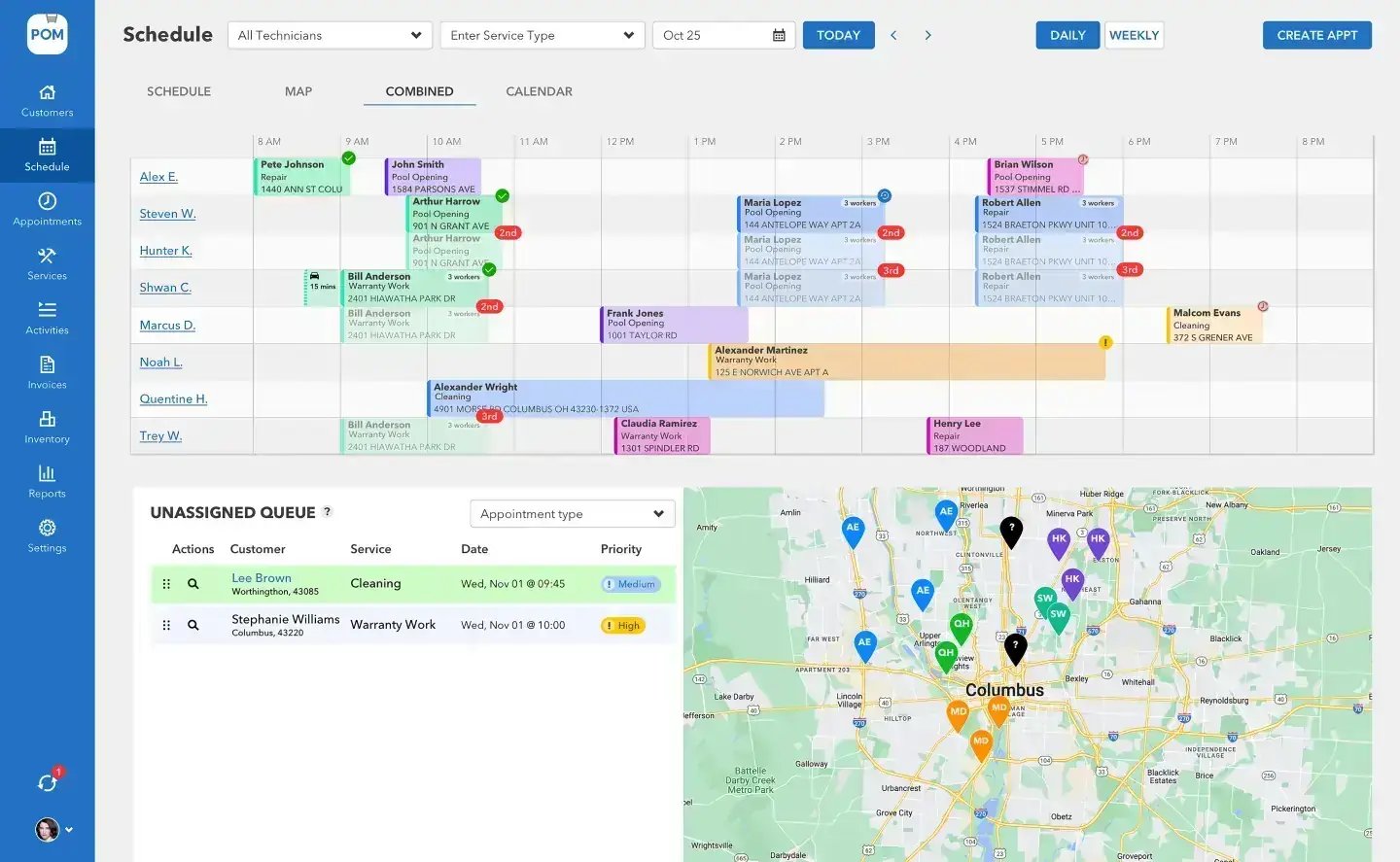
A drag-and-drop schedule board and map on one screen, with one-click route optimization.
A tech app built for the field
Checklists, photos, chemistry readings and dosing on the phone. It works offline, so a weak signal never stops a visit.
Invoice with QuickBooks or Stripe
Completed visits are priced and ready to invoice. Sync invoices to QuickBooks Online, or get paid through Stripe.
FOR HERITAGE CUSTOMERS
The integration is included
Start a 30-day free trial, and we will switch the Heritage connection on with you during setup.

Inventory that keeps its own count
When a tech logs chemicals and parts on a service report, they come off stock automatically. Usage and cost reports show what each customer used and what it cost you, so the next Heritage order starts from real numbers instead of a guess. Barcodes are built in, too: scan with a scanner in the warehouse or a phone in the field to bring up the right item.
Simple pricing
$125 a month for your first user and $25 a month for each additional user. Month-to-month, no contracts. Seasonal companies can deactivate users in the off-season. Your 30-day free trial takes a card at signup, nothing is charged until day 30, and you can cancel anytime.
Already using POM? Call 614-710-0074 or email help@poolofficemanager.com and we will turn on the Heritage connection.
We were excited to try this program and have been satisfied with the use. Love the scheduling feature, from an office stand point, and the guys are happy with not having to use paper.
Town & Country
I can easily keep track of my employees progress throughout the day and have the ability to send other techs to fill in if needed. Love the maps optimization feature. Saves time and money
Aqua Clear Pools
Great software program. Keeps our route in order while providing detailed service reports to all of our clients when the cleaning/maintenance is complete
Blue Water Pools
FAQ
Heritage questions
Do I need a Heritage account?
Yes. POM uses your Heritage account, so you see your own pricing and branch availability and order on your normal terms.
Does the integration cost extra?
No. The Heritage integration is included with Pool Office Manager.
Can I still buy from other suppliers?
Yes. Inventory in POM works with any supplier. The Heritage connection adds catalog search, ordering and order tracking for Heritage items.
How do I get started?
Start your 30-day free trial. During setup, we will connect your Heritage account and help you match Heritage items to your inventory.
Order Heritage parts from POM
30-day free trial. Questions: 614-710-0074.