In this post
Get the latest insights delivered to your inbox
Seasonal hiring can make or break a pool service business. When warm weather hits, you need enough people to handle openings, weekly routes, and urgent repairs—without sacrificing quality or burning out your core team. Yet bringing in temporary workers and seasonal techs often creates its own set of problems: rushed onboarding, inconsistent work, scheduling chaos, and piles of messy paperwork.
This guide shows how to manage seasonal hires and temporary workers efficiently in a pool business. It focuses on practical steps—before, during, and after the busy season—and on how a system like Pool Office Manager can quietly organize onboarding, tracking, and scheduling so seasonal staffing feels controlled instead of chaotic. The goal is to help you grow your capacity without losing your standards.
1. Start with a Clear Seasonal Staffing Plan
Bringing on seasonal staff is easier when you know exactly what you need from them.
Define your seasonal roles
- Service technicians (route techs)
- Opening/closing crews
- Assistants/helpers (for debris removal, equipment moves, etc.)
- Office support (scheduling, phones, customer updates)
For each role, outline:
- Core responsibilities
- Skill level and experience required
- Training they’ll receive
- Whether they need a driver’s license or can ride along
Forecast your staffing needs
Look at last year’s:
- Number of openings and closings
- Average weekly route volume at peak
- Overtime levels and stress points
Use that to decide how many seasonal hires you need and when to bring them on. With a system like Pool Office Manager in place, you can review historical job counts and routes to make these decisions with data instead of guesswork.
2. Simplify Onboarding with Standardized Processes
Seasonal hires don’t have months to get up to speed. Onboarding needs to be quick, clear, and repeatable.
Build a simple onboarding kit
Include:
- A short “welcome and expectations” document (dress code, punctuality, safety basics)
- Overview of services (weekly maintenance, openings/closings, repairs)
- Basic equipment and chemical safety guidelines
- Standard operating procedures for common tasks
Leverage digital tools for onboarding
Instead of handing out paper packets that get lost:
- Store onboarding documents in one online place.
- Use checklists to track what each seasonal hire has completed (forms, training sessions, ride‑alongs).
- Give each new hire a login to Pool Office Manager so they can see schedules, job info, and checklists on their first day.
This reduces the admin burden on your office and makes your onboarding feel like part of a real system, not something improvised.
3. Use Role-Based Access in Software to Control What Seasonal Staff See
Seasonal and temporary workers don’t need access to everything: only what helps them do their job well.
Why role-based access matters
- Protects sensitive data (pricing, financials, customer contact history).
- Prevents accidental changes to schedules or customer records.
- Keeps the interface simple for new hires, focusing them on today’s work.
How to structure access
For seasonal field techs, give access to:
- Their daily and weekly schedule
- Job addresses and directions
- Service checklists and notes
- Ability to log chemicals, tasks, photos, and job completion
For seasonal office support, give access to:
- Schedules and route views
- Job status and technician locations
- Basic customer info needed to answer “where are they/when will they be there” questions
Pool Office Manager’s roles and permissions let you set this up so each person’s screen shows only what they need, which reduces training time and risk.
4. Standardize Field Work with In‑App Checklists
One of the biggest challenges with seasonal staff is inconsistent work. Checklists embedded in your software help even brand‑new techs follow your standards.
Create clear, digital checklists for:
- Weekly maintenance visits
- Pool openings
- Pool closings
- Green pool treatments
- Commercial/HOA visits
Each checklist should include:
- Tasks in the order you want them done
- Required fields for chemical readings
- Space for quick notes and photos
When these checklists live inside Pool Office Manager:
- Techs can follow them step by step on their phones.
- Nothing relies on their memory or somebody’s rushed verbal instructions.
- You get consistent digital records from every visit, regardless of which tech went.
This dramatically reduces “rookie mistakes” that can cost you time and reputation.
5. Make Scheduling and Route Assignments Simple and Visual
Seasonal crews often change—people start and finish at different times, and you may need to shuffle routes to balance workloads.
Without a system
- The office updates whiteboards or spreadsheets manually.
- Seasonal techs get paper route sheets that go out of date as soon as something changes.
- Routes are hard to understand, especially for new staff.
With Pool Office Manager
- Use a drag‑and‑drop calendar to assign jobs to techs and adjust quickly when someone is out.
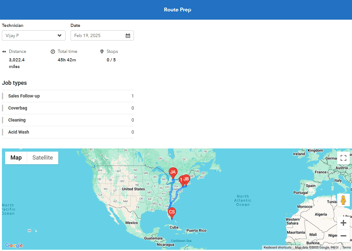
- Visual route maps show seasonal hires exactly where they’re going and in what order.
- Updates pushed from the office appear instantly in the mobile app, so techs always have the latest schedule.
This makes it much easier to bring a new person onto an existing route or reassign stops when someone leaves unexpectedly—without chaos.
6. Track Seasonal Performance with Simple, Objective Data
Managing seasonal workers often feels like relying on anecdotes: “He’s good,” “She’s slow,” “They seem careless.” Objective data helps you coach better and decide who to invite back next year.
Metrics to watch
- Jobs completed per day
- On‑time arrival rates
- Time on site (too fast may mean corners cut; too slow may mean inefficiency)
- Number of callbacks or issues associated with their visits
- Customer feedback or compliments
With Pool Office Manager:
- Job completion times and statuses are logged automatically.
- Notes and internal comments can be tied to specific techs.
- It’s easier to see whether problems are isolated or part of a pattern.
You can then:
- Recognize and reward seasonal staff who perform well.
- Provide targeted coaching for those who struggle.
- Make informed decisions about who to rehire next season.
7. Keep Communication Clear Between Office, Seasonal Techs, and Customers
Seasonal staff often cause unintentional communication breakdowns: messages don’t reach the office, customer concerns don’t get recorded, and instructions get lost in the field.
Improve internal communication
- Require techs to log important notes in the job record instead of texting a manager’s personal phone.
- Encourage them to use standardized note fields (like “issue found,” “needs follow‑up,” “customer request”).
- Have the office review these notes daily to schedule follow‑ups or send updates.
Improve customer communication
- Use automated appointment reminders and notifications to keep customers informed about visits, regardless of who the tech is.
- Send digital service reports (with readings, tasks, and photos) after each visit so customers see consistent documentation.
With Pool Office Manager, all of this happens inside one system. Seasonal hires become part of a predictable communication loop instead of creating side channels that you can’t monitor or track.
8. Make Timesheets, Payroll, and Job Costing Less Painful
Seasonal staff add complexity to payroll and cost tracking just when you’re busiest.
Common problems
- Paper timesheets get lost or filled out inaccurately.
- Overtime sneaks up because there’s no easy way to see weekly hours.
- You don’t know which routes or services are profitable with extra labor.
How software helps
- Techs can clock in and out through a mobile app or have time associated with completed jobs.
- The office can see hours worked by each seasonal employee in one dashboard, making it easier to manage overtime.
- Labor data can be tied to specific routes and services, so you understand the true cost of seasonal help.
Pool Office Manager’s integration with billing and job records gives you a clearer picture of how seasonal staffing affects your margins, so you can adjust routes, pricing, or staffing levels mid‑season instead of only after it’s over.
9. Plan for Turnover and No‑Shows
Seasonal roles tend to have higher turnover. Pretending that every hire will stay all season sets you up for pain.
Build in resilience
- Cross‑train seasonal techs so more than one person knows each route or specialty task.
- Keep your checklists and job notes so detailed that a new tech can step into an existing route with minimal hand‑holding.
- Maintain a small bench of “on call” temps or part‑timers you can activate during spikes or when someone leaves suddenly.
The software advantage
- Because routes, notes, and checklists live in Pool Office Manager, a new tech can open the app and have everything they need: where to go, what to do, and what happened last time.
- The office can reassign jobs quickly and broadcast updated schedules without printing new route sheets.
This reduces the operational shock of losing a seasonal worker mid‑season and helps you maintain service quality despite staff changes.
10. Turn the Best Seasonal Workers into Long-Term Assets
A strong seasonal staffing strategy is not just about surviving this year—it’s also about building a reliable bench for future years.
Identify your top seasonal performers
Using data from Pool Office Manager and feedback from supervisors:
- Look for techs with good productivity, low callback rates, and positive customer feedback.
- Note who adapted quickly to your systems and checklists.
Keep them engaged
- Offer them first priority for rehire next season.
- Stay in touch during the off‑season with occasional updates or training opportunities.
- Consider part‑time or shoulder‑season work if your market allows it.
Because their history is stored in your system, bringing them back is easy: re-enable their access, assign them routes, and they’re ready to go with full context.
11. Use Seasonal Insights to Improve Your Business for Next Year
Seasonal hiring and operations generate valuable insights—if you capture them.
After the season, ask:
- Which routes worked well, and which were overloaded?
- Which checklists or procedures caused confusion for seasonal staff?
- Which training topics came up repeatedly?
- Which parts of the process created the most admin work?
Pool Office Manager helps by:
- Giving you reports on job volume, timing, and issues by tech and route.
- Letting you review notes and internal comments to find recurring pain points.
- Making it easy to tweak checklists and workflows for next season based on real-world data, not just memory.
This turns each busy season into a learning engine, so your staffing and operations improve year after year.
Bringing It All Together (and a Simple Next Step)
Managing seasonal hires and temporary workers efficiently is one of the biggest levers for growing a pool service business without burning out your core team. The companies that do it well:
- Plan their seasonal roles and staffing levels ahead of time.
- Use standardized onboarding and digital checklists to get new people productive quickly.
- Rely on route‑aware scheduling so everyone knows where to go and when.
- Track performance, communication, and labor costs in one place.
- Turn their best seasonal workers into recurring assets instead of starting from scratch every year.
Trying to coordinate all of this with paper, texts, and spreadsheets makes seasonal growth much harder than it needs to be. Pool Office Manager gives you a central, pool‑specific system for onboarding, scheduling, tracking, and communicating with seasonal staff—so you can handle more work, more reliably, with less stress.
If you want your next busy season to feel more organized and scalable, a practical next step is to see how this looks inside Pool Office Manager. A short, focused demo can walk you through:
- How to set up seasonal roles and permissions.
- How techs use mobile checklists and schedules in the field.
- How the office tracks work, performance, and labor in real time.
Seeing your world reflected in an actual system will quickly show whether Pool Office Manager can help you turn seasonal staffing from a yearly struggle into a repeatable advantage—and whether “Get Demo” is the right next step for your team.