In this post
Get the latest insights delivered to your inbox
Many pool service companies still lean heavily on paper: route sheets, service logs, invoices, work orders, and handwritten notes. It feels familiar and “free,” so it’s easy to assume there’s no real downside.
But when you add up the hidden costs in lost time, mistakes, and missed opportunities, paper can quietly drain thousands of dollars a year from a growing pool business.
This guide breaks down exactly how paper records cost money, time, and reputation—and how going paperless with modern pool service software flips that script. The goal isn’t to shame old habits; it’s to show, in practical terms, why more and more pool pros are trading clipboards for phones and tablets, and what that transition looks like.
The Hidden Costs of Paper in a Pool Service Business
1. Time Lost to Writing, Rewriting, and Filing
Every time a technician fills out a paper route sheet, chemical log, or invoice, someone else has to:
- Read the handwriting.
- Enter the data into a system (or shuffle it into a file cabinet).
- Track it down again later if a question comes up.
Multiply those minutes by every stop, every day, and several techs, and the hours multiply quickly. That is time that could be spent:
- Servicing additional pools.
- Handling higher-value repair jobs.
- Following up with leads or managing growth.
Paper often “feels” fast in the moment—grab, write, move on—but the cumulative overhead of managing it is significant.
2. Delayed or Missed Invoicing
Paper-heavy systems tend to slow billing down:
- Technicians turn in paperwork at the end of the day—or end of the week.
- The office batches invoices when there’s time.
- Some jobs might be missed or misread in the rush.
This means:
- You wait longer to get paid.
- A percentage of work never even makes it onto an invoice.
- You spend more time chasing down errors and underbilling.
When your invoicing depends on stacks of paper reaching the desk in good shape, cash flow is at the mercy of how carefully those sheets move through trucks, tool bags, and pockets.
3. Errors and Callbacks from Missing or Inaccurate Data
Paper logs can easily lead to:
- Wrong or incomplete chemical readings.
- Skipped tasks when checklists are cramped or confusing.
- Lost service notes that would have prevented a callback.
Even small mistakes add up:
- A missed note about a recurring issue means another trip out—for free.
- A mis-recorded reading can lead to an unbalanced pool and an unhappy client.
- An unreadable work order creates confusion and rework.
Each callback or re-visit costs fuel, time, and often goodwill. Digital tools don’t make every error disappear, but they reduce them by enforcing structure and keeping everything legible and accessible.
4. Limited Visibility and Slow Decisions
With paper, it’s hard to answer simple questions quickly:
- “Which customers are still waiting on a repair?”
- “How many visits did we make for this property in the last quarter?”
- “Which routes are overloaded, and which have room for growth?”
To answer, someone has to:
- Find the right folder or binder.
- Sort through multiple forms.
- Manually tally or estimate.
This slows down decision-making about staffing, pricing, and route planning—and makes it much harder to spot patterns like chronic problem accounts, unprofitable routes, or emerging opportunities.
5. Risk of Loss, Damage, and Compliance Issues
Paper is fragile:
- It can get wet, smudged, or torn in the field.
- It can be misplaced, misfiled, or taken home by accident.
- It can be hard to produce in a dispute, audit, or warranty situation.
For commercial pools, HOAs, or health-department-inspected facilities, paper-only records can create risk. Being able to quickly pull up digital logs with timestamps, readings, and photos is often the difference between a confident response and a scramble.
The Real Price Tag: Where the “Thousands” Come From
When you add up:
- Hours each week spent on manual data entry and filing.
- Invoices that never get sent—or get sent late.
- Extra trips due to missing notes or unclear logs.
- Fuel and labor wasted on inefficient routing that’s hard to fix on paper.
- Lost opportunities from slow follow-up or disorganized customer information.
…it’s easy to see how the annual cost can climb into the thousands, even for a modest operation. The impact often shows up as:
- Chronic overtime.
- Frustrated staff.
- Thin margins despite being busy.
- A sense that growth only brings more stress, not more profit.
Paper isn’t just a “different way of doing things.” For many pool companies, it’s a structural drag on profitability.
What “Paperless” Really Looks Like in a Pool Company
Going paperless doesn’t mean eliminating every scrap of paper overnight. It means:
- Moving core workflows—scheduling, logging, invoicing, reporting—into digital tools.
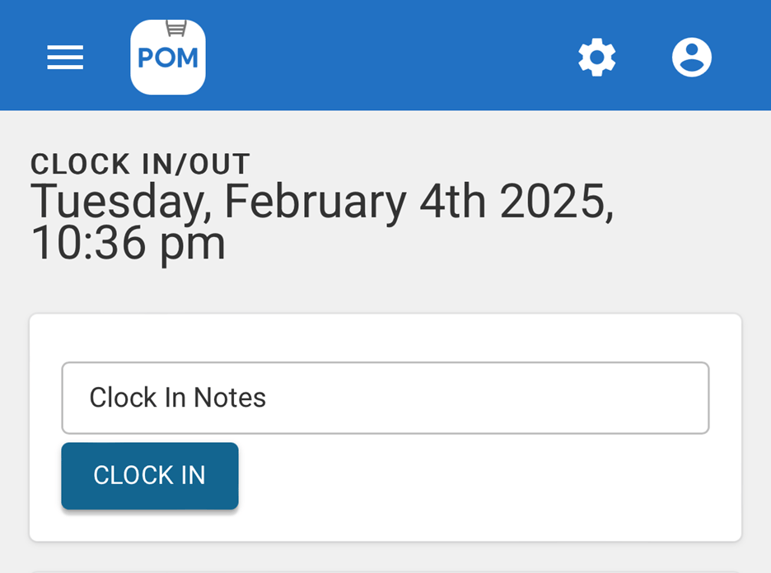
- Using phones or tablets instead of clipboards in the field.
- Storing records in a central, searchable system instead of boxes and binders.
In a typical setup:
- Routes and schedules are built in software and appear on techs’ mobile apps.
- Techs record chemical readings, tasks, and notes in structured digital forms.
- Photos are attached directly to each job record.
- When jobs are marked complete, they automatically feed into billing.
- Service reports are generated from data already captured; no extra writing required.
Paper might still exist occasionally—a printed checklist here, a signed document there—but it’s no longer the backbone of the business.
Practical Benefits of Going Paperless
1. Faster Billing and Better Cash Flow
With digital tools:
- Completed jobs flow straight into invoices.
- You can bill daily or automatically on a schedule.
- Customers receive invoices by email or text, often with online payment links.
This shortens the delay between work done and money received—and reduces the chance that any work goes unbilled.
2. Less Administrative Overhead
Office staff spend more time:
- Handling exceptions and strategic work.
- Following up with leads.
- Supporting growth.
…and less time:
- Deciphering handwriting.
- Entering data from crumpled sheets.
- Chasing down missing paperwork.
For small teams, this can be the difference between always “catching up” and having space to improve the business.
3. Stronger Customer Communication and Trust
Digital systems make it easier to:
- Send professional service reports with readings, notes, and photos.
- Answer questions with specific, recent information.
- Keep promises about follow-ups and special requests.
When customers can see clearly what’s been done and trust that their information is handled accurately, they’re more likely to stay, spend more, and refer others.
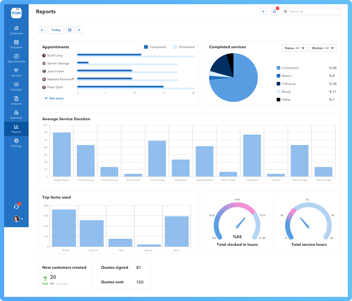
4. Clearer View of Performance and Opportunities
With digital records:
- You can see which services are most profitable.
- You can identify clients who frequently need extra work.
- You can map where your best routes and biggest gaps are.
Instead of relying on gut feel alone, you’re working from actual numbers—and that tends to drive better decisions about pricing, staffing, and marketing.
Where to Start: Moving Key Workflows Off Paper
You don’t have to change everything at once. Many pool companies find success by tackling one area at a time.
Step 1: Digital Scheduling and Route Management
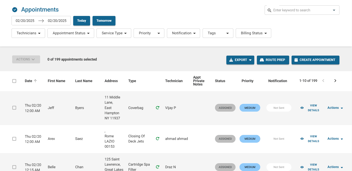
- Replace whiteboards or paper calendars with a scheduling tool.
- Give techs a mobile view of their routes.
- Experiment with small route optimizations to cut backtracking.
This alone can reduce confusion, calls, and miles driven.
Step 2: Digital Service Logs and Chemical Records
- Use a mobile app or digital form to record chemistry and tasks.
- Standardize what gets recorded at each visit.
- Attach photos to jobs as needed.
You’ll get better consistency and easier reporting, especially for commercial accounts and HOAs.
Step 3: Digital Invoicing and Payments
- Generate invoices from completed jobs instead of typing them from scratch.
- Send invoices electronically, with links for online payment.
- Set up recurring billing for regular service clients where appropriate.
Faster billing and fewer “forgotten” charges start to show up quickly on your bottom line.
Step 4: Digital Reporting and Customer Communication
- Turn job data into branded reports you can email or text.
- Use templates for common emails and notifications.
- Make it easy for customers to reply or ask questions.
This step amplifies the value of the information you’re already collecting.