
QuickBooks holds the books; your service software runs the trucks. When the two are connected properly, an invoice is typed once — at the pool — and lands in QuickBooks with the right items, the right income accounts, and a payment status that keeps itself current. This guide covers how the connection works, how to set it up cleanly, and how to fix the classic messes.
QuickBooks Online + your pool service software: the complete guide
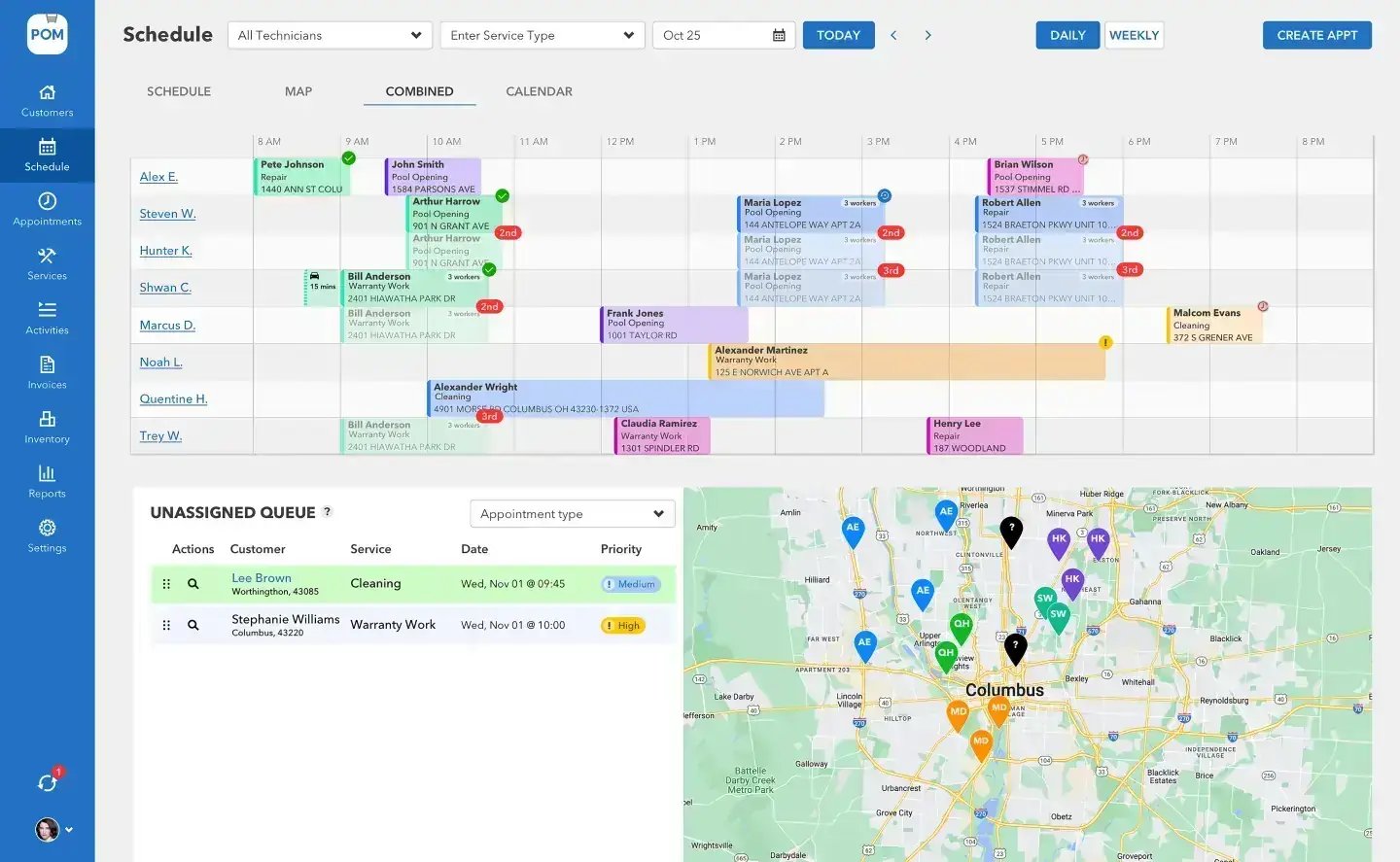
What actually syncs?
POM’s QuickBooks Online integration (+$25/month) is a true two-way sync: customers, items, and invoices flow both directions, and payment status syncs back automatically throughout the day — when a customer pays in QuickBooks, POM shows it paid without anyone touching it. Customers and items sync automatically daily; invoices and payments sync on creation and update, and a manual “sync now” lives in Settings → Integrations (Customers, Items, Invoices, or All).
Setting it up cleanly
1. Connect. Activate the integration by emailing help@poolofficemanager.com with your company name, or on your setup call (614-710-0074, ext. 3) — we connect it with you live.
2. Let customers and items flow in. On first connect, your QuickBooks customers and products/services import automatically — the fastest data migration there is.
3. Map the accounts. Each item can carry its own QuickBooks income account, so chemical sales, labor, and parts land where your accountant expects them. New and Heritage-imported items are held back from the QuickBooks push until you approve them — your chart of accounts stays clean by default.
The classic messes, fixed
Problems this setup prevents
Duplicate customers
Duplicates usually come from importing twice or from name mismatches. Match on the QuickBooks record first, merge in QuickBooks before first sync, and let lookup-before-create rules handle the rest. Bringing 9,000 customers? Talk to us before the first sync — that’s a 20-minute call that saves a week.
Duplicate items
An old bug where changing an item’s price created a new QuickBooks item is fixed. The approval step plus the duplicate-review queue now catch near-matches before they sync.
Double entry
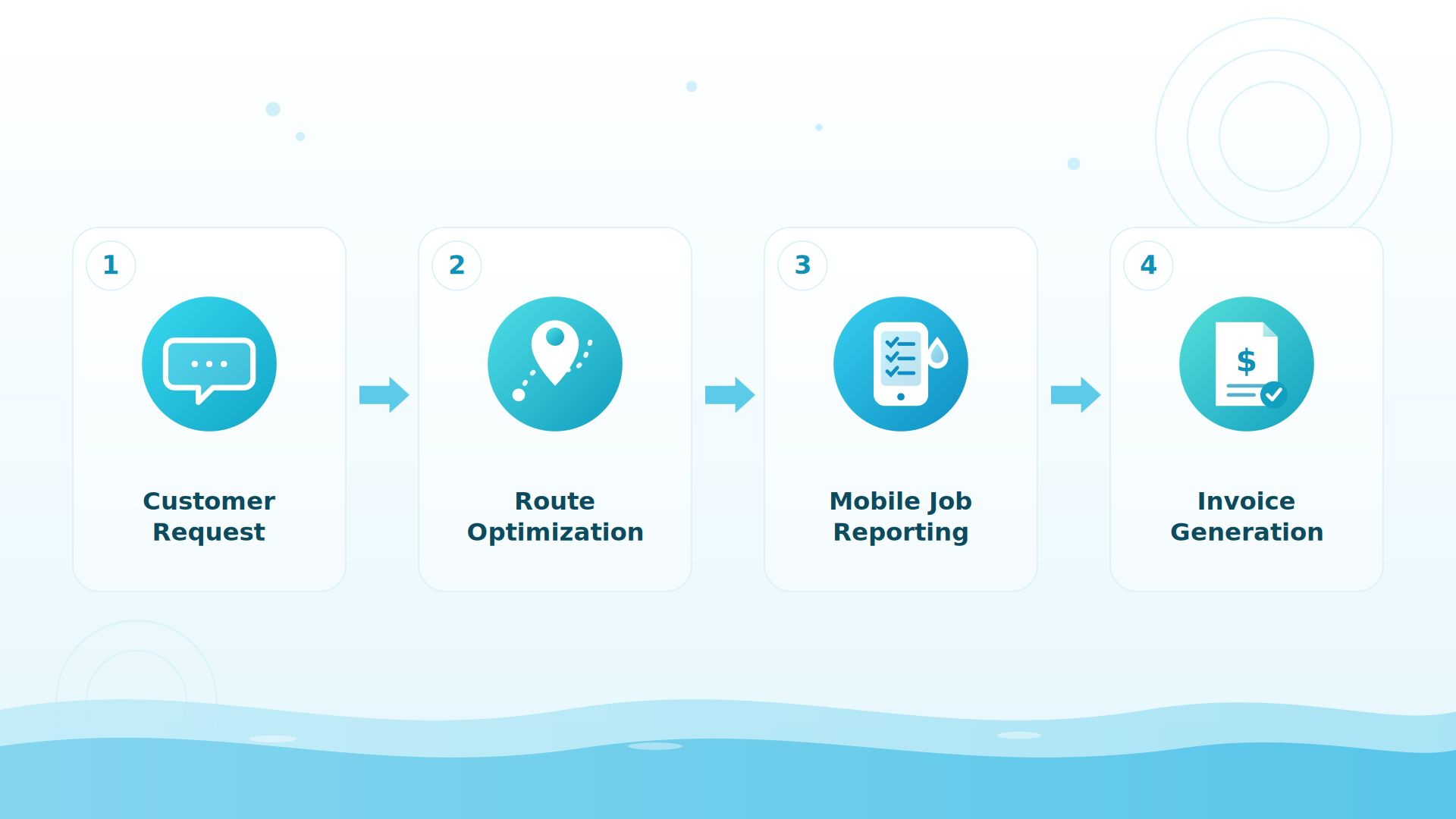
The whole point: the completed visit becomes the invoice in POM and appears in QuickBooks automatically. Companies report the sync saves 4–6 hours a month on billing alone.
On QuickBooks Desktop instead?
There’s a clean manual path: export two reports (Customer Contact List and Product/Service List), email the files to files@poolofficemanager.com with your company name in the file name, and we clean and import them free, usually within 1 business day. The support center’s QuickBooks Online: Data Import and Bring in your existing data articles walk it step by step — and if you’re weighing a Desktop→Online conversion, do the conversion first, then connect POM to the Online file.
BIG PICTURE
Connect it on your setup call
20 minutes: we connect QuickBooks Online, your customers sync in while we talk, and we map the first items together. 614-710-0074, ext. 3.

Invoice numbering and statuses
Decide once, early: which system is the source of truth for invoice numbers and delivery. The reliable pattern is creating invoices in POM (where the visit data lives) and letting QuickBooks receive them; payment status then flows back to POM so the office sees paid/unpaid without switching tabs. If your bookkeeper marks invoices paid in QuickBooks, nothing else changes — that’s the sync’s job.
What your accountant will ask
Three answers to have ready: items map to income accounts per item (with an approval step before anything new syncs); payments recorded in either system reconcile through the sync rather than by hand; and everything exports — customers, service records, invoices — to CSV whenever they want the raw data. Most accountants’ concerns end at “the chart of accounts stays mine.”
Keep exploring
Billing & QuickBooks in POM · Software pricing explained · Integrations & API · Support center
We were excited to try this program and have been satisfied with the use. Love the scheduling feature, from an office stand point, and the guys are happy with not having to use paper.
Town & Country
I can easily keep track of my employees progress throughout the day and have the ability to send other techs to fill in if needed. Love the maps optimization feature. Saves time and money
Aqua Clear Pools
Great software program. Keeps our route in order while providing detailed service reports to all of our clients when the cleaning/maintenance is complete
Blue Water Pools
FAQ
QuickBooks questions
Does Pool Office Manager sync with QuickBooks Online?
Yes — a two-way sync of customers, items, and invoices, with payment status syncing back automatically throughout the day. It’s a +$25/month add-on on top of the standard subscription.
How do I connect QuickBooks Online to POM?
Email help@poolofficemanager.com with your company name, or ask on your setup call (614-710-0074, ext. 3) and we connect it with you live. Your customers and items then flow in automatically.
Why did my customers duplicate after a sync?
Almost always a double import or name mismatches between systems. Merge duplicates in QuickBooks, then re-sync — and for large lists, have us check the mapping before the first sync. Support can walk your specific case: 614-710-0074.
Can invoices show the class or technician?
Invoice line items are customizable in POM (your words, not ours), and reports slice completed work by technician. For class-tracking specifics in your QuickBooks setup, talk to support — setups vary enough that we’d rather look at yours.
What about sales tax?
POM carries tax on invoices and the sync moves invoices to QuickBooks. Multi-jurisdiction tax setups deserve a conversation with support before you rely on automated tax mapping — bring your rates to the setup call and we’ll configure it with you.
I’m on QuickBooks Desktop — am I stuck?
No: export two reports, email them to files@poolofficemanager.com, and we import free, usually within 1 business day. The live two-way sync is Online-only.
One entry, both systems
30-day trial — connect QuickBooks on day one and watch your customers sync in. 614-710-0074.