
In most pool companies, billing means re-typing: the tech writes down what happened, and someone at a desk turns it into an invoice, line by line, at night. In Pool Office Manager, the completed visit is the invoice — labor, service call, and every chemical the tech logged carry straight onto it. Two taps, done, and nothing your techs did in the field gets forgotten at billing time.
The visit becomes the invoice
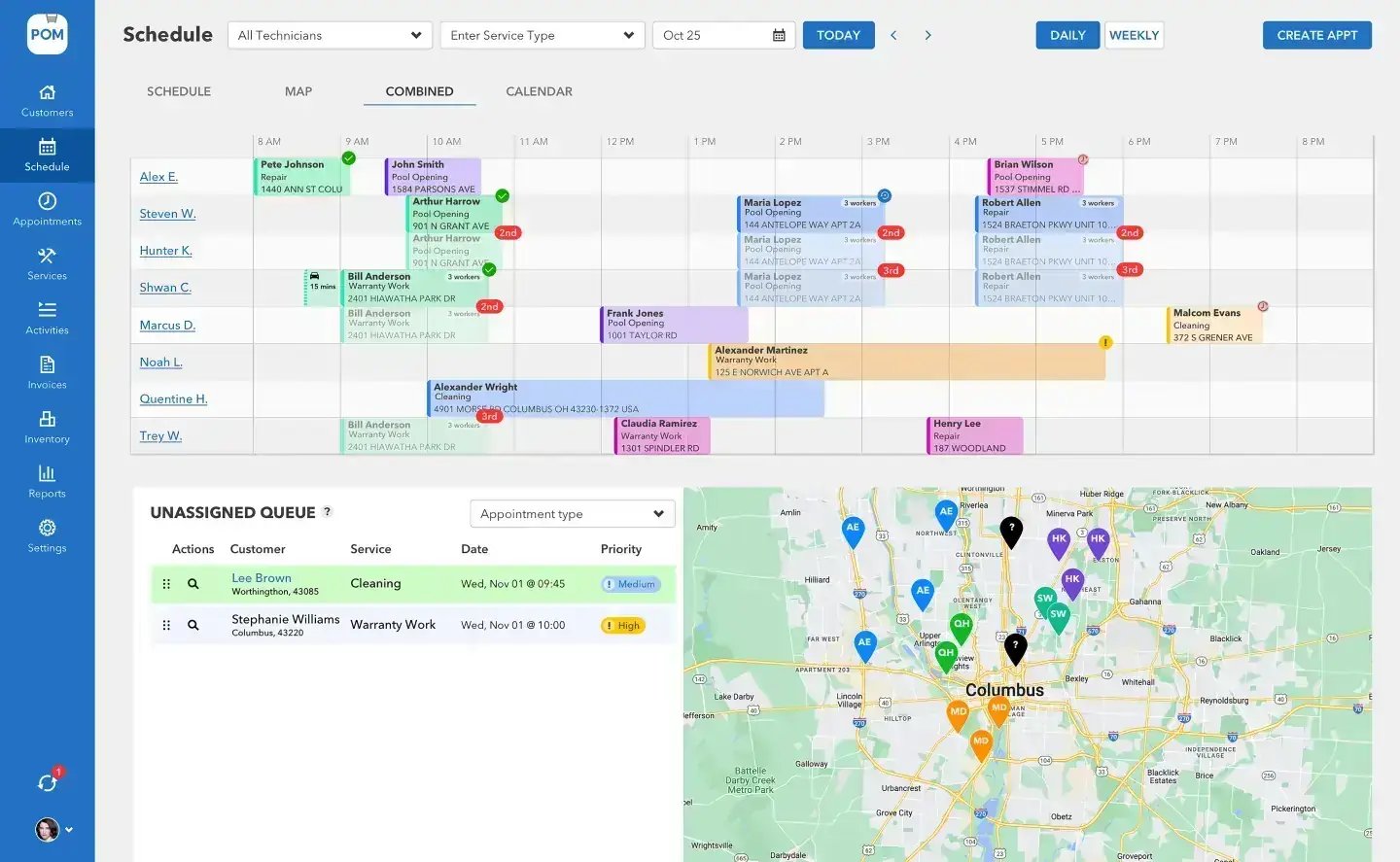
Bill a month in one sitting
Batch invoicing turns end-of-month from a lost weekend into a sitting: generate invoices across your customers from their completed visits, review, send. Custom line items, taxes, and notes where you need them; status tracking from Draft through Paid so nothing slips into the void between “sent” and “deposited.”
Getting paid, without the chase
Customers pay online by credit card or ACH through Stripe, at Stripe’s standard processing rates. QuickBooks Online payments and Biller Genie with Fortis are alternative processors if that’s how your books already run. Either way: fewer checks under truck seats, fewer awkward calls.
Four billing paths, one system
However you bill, it’s built in
Per-visit invoicing
The completed visit carries labor, service call, and chemicals straight onto the invoice. Two taps.
Batch billing
Generate a month of invoices from completed visits in one sitting — review, send, track to Paid.
Online payments
Credit card and ACH through Stripe at standard rates; QB Payments and Biller Genie with Fortis also supported.
Quotes that close
E-signature approval, then one-click conversion to an invoice. The paper trail never breaks — or gets re-typed.
Watch billing, step by step
Short walkthroughs, about 30 to 60 seconds each. Every one has a step-by-step guide in the help center.
The QuickBooks Online sync (+$25/mo add-on)
If QuickBooks is your source of truth, POM’s two-way sync keeps it that way: customers, items, and invoices flow both directions, and payment status syncs back automatically throughout the day. Your bookkeeper keeps their workflow; your office stops double-entering everything.
Customer-reported: companies using the QuickBooks sync tell us it saves them 4 to 6 hours a month on billing alone.
On QuickBooks Desktop? You export two reports and we import them for you — the knowledge base walks through it, and so will we on your setup call. Don’t use QuickBooks at all? POM’s own invoicing runs independently — the integration is optional, not required.
BIG PICTURE
Stop typing the same work in twice
Book a 20-minute setup call (614-710-0074) — connect QuickBooks Online on the call and your customers sync in while we talk.

From the field to the bank
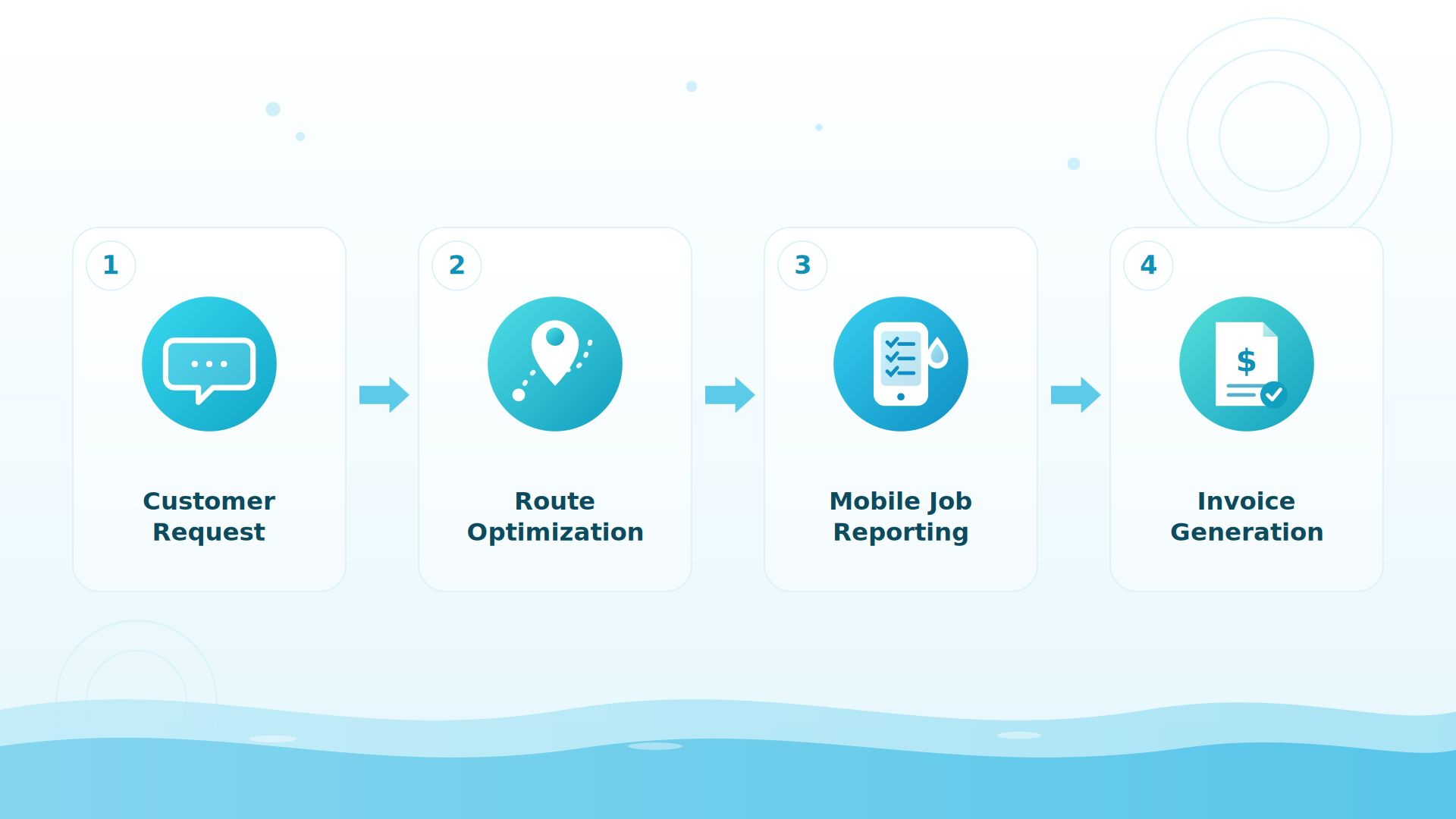
The tech submits the visit at the pool — checklist, photos, chemistry, chemicals used. The office sees a ready-to-bill visit, not a pile of paper. The invoice goes out with the work already itemized, the customer pays online, and the status syncs back to QuickBooks without anyone touching it twice. That’s the whole idea: one entry, made once, at the pool.
Custom invoice descriptions
Your words on the line item, not ours — invoice descriptions are fully customizable. This came straight from customer requests this year.
Keep exploring
Reports & visibility · The tech mobile app · Support center: QuickBooks guides · Pricing · Inventory & ordering · Integrations & API · The QuickBooks guide
We were excited to try this program and have been satisfied with the use. Love the scheduling feature, from an office stand point, and the guys are happy with not having to use paper.
Town & Country
I can easily keep track of my employees progress throughout the day and have the ability to send other techs to fill in if needed. Love the maps optimization feature. Saves time and money
Aqua Clear Pools
Great software program. Keeps our route in order while providing detailed service reports to all of our clients when the cleaning/maintenance is complete
Blue Water Pools
FAQ
Billing questions
Do I have to use QuickBooks?
No — POM’s own invoicing runs independently. The QuickBooks Online integration is an optional +$25/mo add-on for companies whose books live there.
What are the payment processing options?
Stripe (credit card + ACH) at Stripe’s standard processing rates, QuickBooks Payments, or Biller Genie with Fortis — whichever matches how your books already run.
How does the two-way sync actually work?
Customers, items, and invoices flow both directions between POM and QuickBooks Online, and payment status syncs back automatically throughout the day. Companies report it saves 4–6 hours a month on billing.
We’re on QuickBooks Desktop — are we stuck?
No — you export two reports and we import them for you, free, usually within 1 business day. The knowledge base walks through it step by step.
What is the best pool service software that syncs with QuickBooks?
Look for true two-way sync — invoices flowing in, payment status flowing back — not a one-way export. Pool Office Manager’s QuickBooks Online integration (+$25/mo) syncs customers, items, and invoices both directions automatically throughout the day; companies report it saves 4–6 hours a month on billing.
How do pool companies get paid faster?
Two habits: bill from completed visits weekly instead of month-end (the visit already carries labor and chemicals, so invoicing is two taps), and give customers online payment by card or ACH. Every day a completed visit sits unbilled is an interest-free loan to your customer.
Run this month’s billing in POM
30 days, every feature, card at signup, nothing charged until day 30, cancel anytime. 614-710-0074.