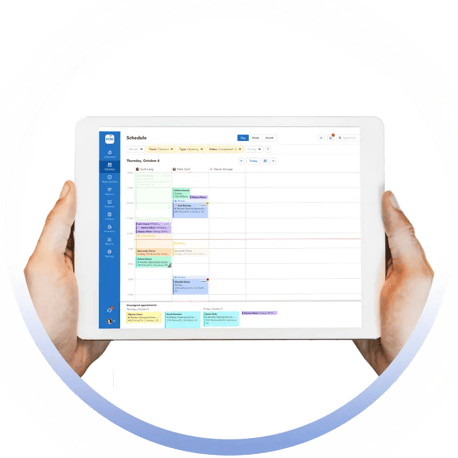
Pool Service Software Built for Seasonal Pool Service & Repair

Run cleanings, repairs, chemicals, quotes and invoicing in one system that matches how your business works.


Seasonal schedules. Last-minute jobs, repairs, projects, mistakes, chemical + inventory chaos. Pool Office Manager was built exactly for this

Trusted by Pool Service and Repair Companies

Pool Openings + Closings

Pool Cleanings

Repairs + Projects

Rentals + Commercial Pools

Why most pool software breaks in the real world

Most pool software was built for perfect, repeating routes all year. But real pool companies do not operate that way.  Your business looks more like this:


Jobs that do not always finish in one visit

Repairs and Service that require followups
Weather that delays and ruins your planned schedule
Techs who forget to write things down
Customers who question their service and invoices
The chemicals + parts that seemingly disappear or get donated to clients


If you are juggling routes, repairs, invoicing, QuickBooks, and staff then jobs get missed and invoices get behind. Pool Office Manager fixes that, with one platform for your business.

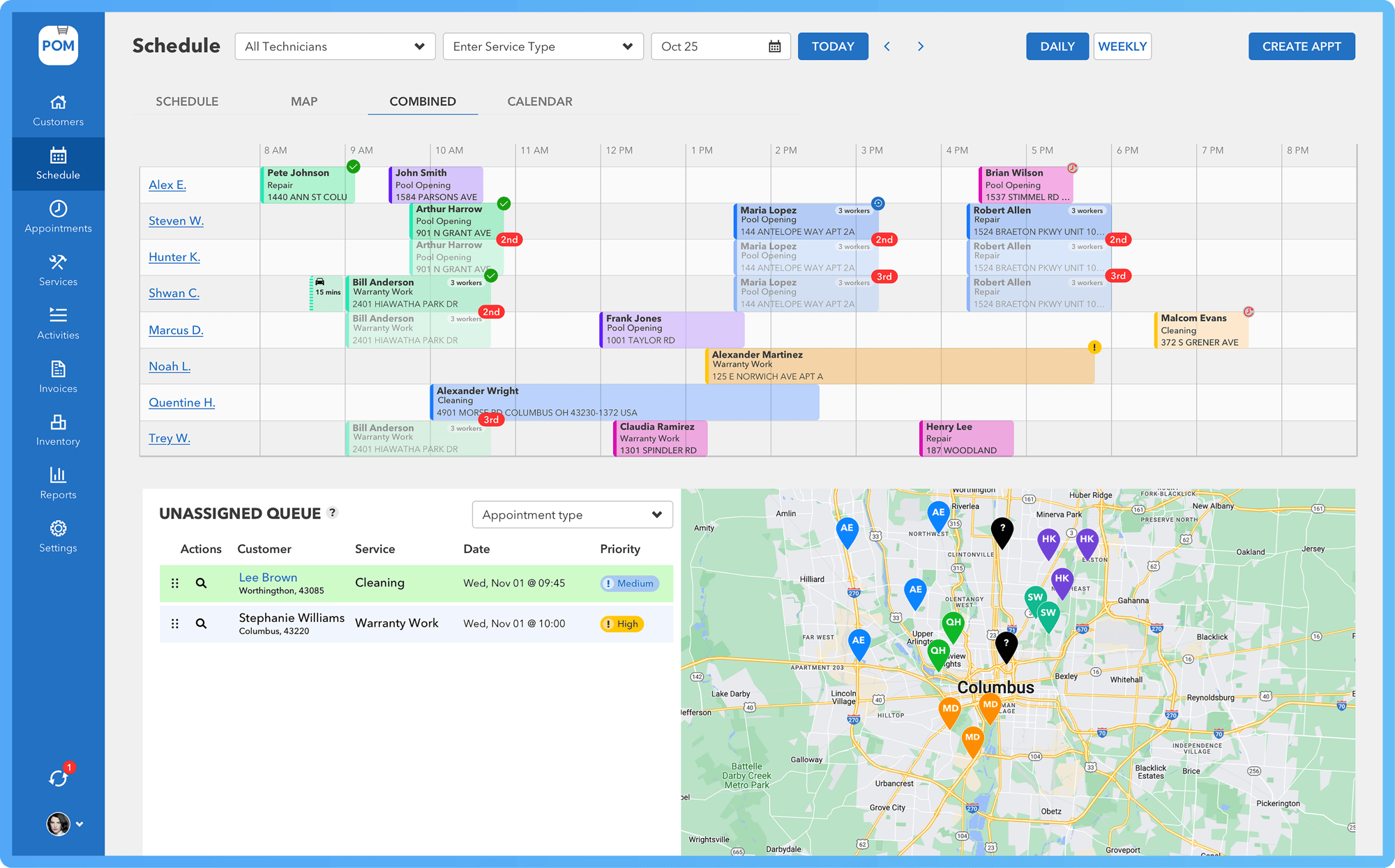
Schedule - Week View 4@2x

Pool Service Software should make your life easier!

Route + Scheduling Software

Build routes that change with the season
Drag, reschedule, add repairs, and handle weather and emergencies without breaking your week

Invoice & Billing Software

Automate billing and get paid faster. POM creates custom or recurring invoices, syncs with QuickBooks 2-ways. Invoices are tied directly to completed work. Charges, notes, photos, and approvals flow from the field to the office automatically so you get paid faster.

Pool Service CRM

Turn calls into signed work orders in minutes. POM lets you send digital quotes by text or email, capture e-signatures instantly, and store every contract for easy reference and liability protection. It’s fast, professional communication that keeps approvals clear and your operations moving smoothly.

Inventory Software

Know exactly what’s in stock, what’s on each truck, and what needs to be ordered. POM tracks every part and chemical used in the field, automatically updating inventory as
jobs close. No more guessing, just real-time visibility and control that
keeps crews supplied and your warehouse organized.

Pool Chemical Calculator

Precision dosing, every time. Enter chemical readings and POM instantly calculates exact chlorine, acid, or shock requirements for each pool. Built by pool pros for accuracy and safety, it ensures consistent water quality, lower waste, and smarter chemical management across every technician and route.

Reporting Software

Customize reports for what you need, like tracking the average service time per technician, or the chemical costs per customer. Find and manage your profitability!

GPS Tracking

See where your team is and how the day is progressing. POM’s integrated GPS gives you real-time visibility into technician locations, completed stops, and upcoming jobs. Improve route efficiency, reduce drive time, and keep customers updated with
accurate service timing—all from one dashboard.

Route Preparation

Start every day organized and confident. POM prepares each crew’s route automatically, ensuring trucks leave stocked with the right parts, chemicals, and customer notes. Daily route summaries, checklist alerts, and job sequencing help technicians stay efficient and fully prepared before the first stop

Customer Reviews

sb Pools
Quote left iconPool Office Manager has helped streamline our pool company and make us run more efficiently. This is exactly what we've always needed. Customer service is terrific and they're are always adding features and improving to help us run even smoother.Quote right icon

Brian SB Pools

drakele
Quote left iconWe searched for over a year for software which would help manage our service department. Pool Office Manager was the only software we found that checked all our boxes. It is designed by a pool service company FOR a pool service company. Very intuitive and has already helped us take control of our department.Quote right icon

Kerri

hams-pool-300x34 1
Quote left iconThis easy to use software has given us the ability to handle more customers and grow as a service company. It helps us make sure nothing falls through the cracks, everything gets billed out. I love the service reports and appointment reminders we can email to customers (and so do they).Quote right icon

Terry

Service report (2)

Get Started with a 30-Day Free Trial

Look forward to efficient, organized, and thriving pool service management.  Live support and onboarding, no chatbots. Real live agents.

FAQs

Frequently Asked Questions about POM

What’s the cost of Pool Office Manager?

POM is a monthly subscription. There are no contracts or termination fees. Pricing is based on the amount of active users you create for your company. You can turn users on and off to adjust your monthly charges as needed or in your off-season to reduce your costs. Pricing starts at $125/month for your first user and every user you add to the account after that is an additional $25/month. More than 12 year-round users? Ask for our fleet discount

How do you work with Quickbooks?

POM integrates with QuickBooks for quick, efficient and accurate invoicing. For QuickBooks Online: POM offers an automated 2-way sync for your customers, invoices, items and more. Instantly create invoices, see the payment status, update pricing, create new customers and fully operate in real-time between POM and QBO. No syncing buttons or manual actions are required!


For QuickBooks Desktop, POM can import all your data and then begin a 1-way sync from POM to QuickBooks Desktop. You can create invoices, customers, items with each batch of invoices you send from POM to QB Desktop.

How do I bring over my existing data?

POM handles your data importing. You can either connect your QuickBooks or send POM a spreadsheet of all your existing data. Our team will clean, review and import your data for you, so from Day 1 you can fully use POM with your existing Customers, Items, and Services from your prior program.

How long does it take to onboard and learn POM?

The amount of time it takes to onboard and learn POM will vary depending on your individual needs and experience. However, most users are able to get started quickly and are proficient with the program in 7-21 days.

Technicians in the field often take between 5-30 minutes to learn and be comfortable with POM.

Office staff and Customer Support take between 1 and 3 hours to be comfortable.

Service Managers/Schedulers take between 1-3 days

Billing Department/Invoicing - 1-2 days.

Run Your Best Season Yet

Start a no-risk, no-obligation free trial of Pool Office Manager.


One platform for every job, chemical, quote, contract, and invoice — all connected and easy to manage.


Built by pool pros for companies that need flexibility, visibility, and complete control.

Group 20383-1

Run Your Best Season Yet

Start a no-risk, no-obligation free trial of Pool Office Manager.
One platform for every job, chemical, quote, contract, and invoice — all connected and easy to manage.

Built by pool pros for companies that need flexibility, visibility, and complete control.