
Your techs don’t need another app — they need one that replaces the clipboard, the printed route sheet, the group text, and the end-of-day paperwork all at once. That’s what the Pool Office Manager mobile app is (iOS and Android): the entire field day, from clock-in to clock-out, in a tech’s pocket.
The whole field day in one app
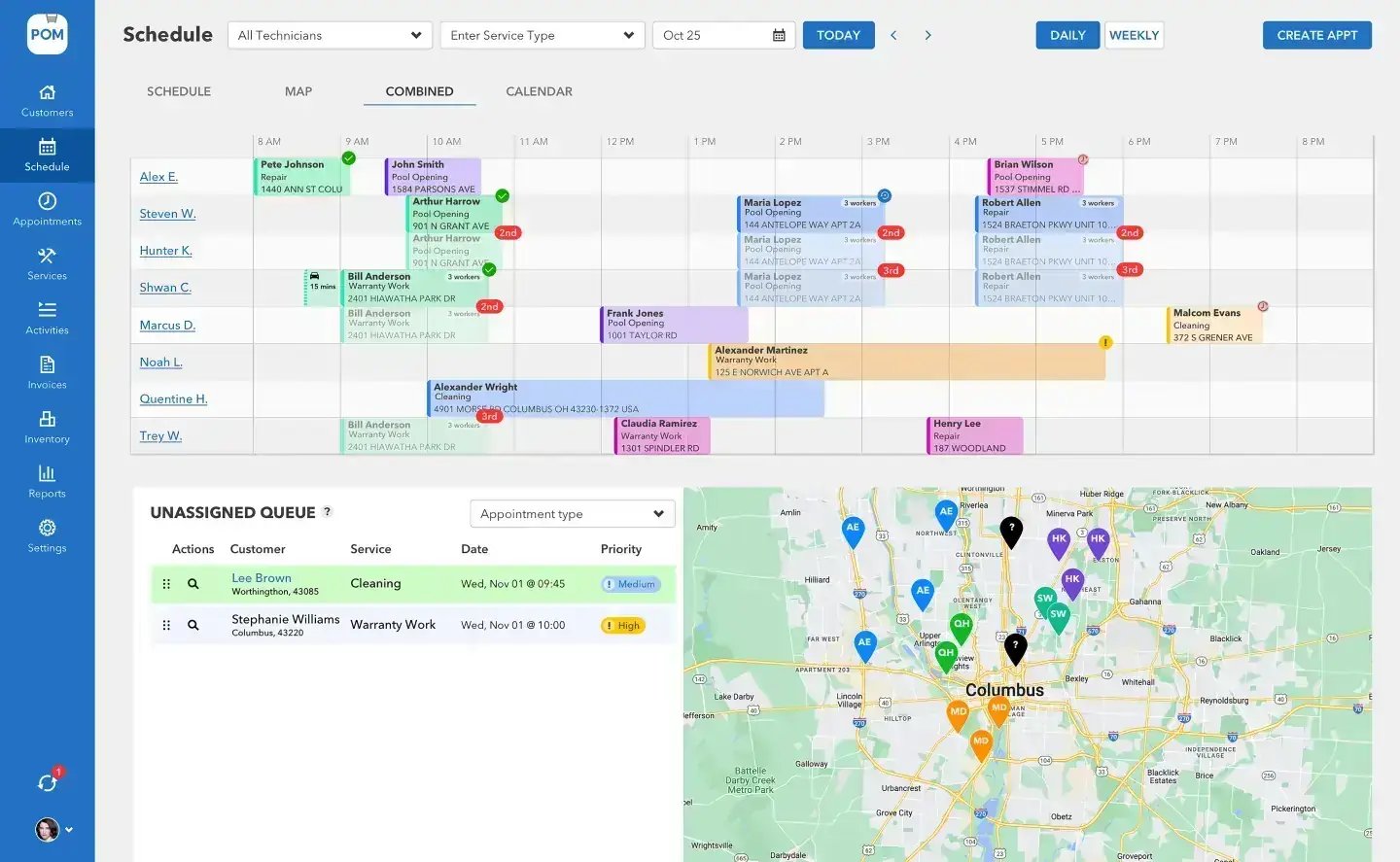
The day is already planned
Clock in and the day is there: every stop in order, the route on the map, drive times between them. One tap texts the customer you’re on the way. At the gate, hit Start — the ticket opens with everything about the property: gate code, dog’s name, equipment, notes from last visit. No calls to the office to ask what’s next or how to get in.
Work the checklist, prove the work
Each visit runs your checklist — including your own custom items — so every stop gets done the same way, complete. Photos snap in-app and attach straight to the report. Water level, condition, color: two taps each. Nothing waits for memory at the end of the day, because there’s nothing left to write up. The app works offline, so a weak signal never stops a visit.
From clock-in to paid
What the app carries
The route
Every stop in order with drive times, property details, and last visit’s notes riding along.
The proof
Checklists with photos attached straight to the report — every stop done the same way, complete.
The chemistry
Readings beside last visit’s numbers, dosing math from actual gallons, chemicals logged to the account.
The clock
GPS-verified clock in/out with daily, weekly, pay-period, and overtime reports ready for payroll.
Submit — the office sees it instantly
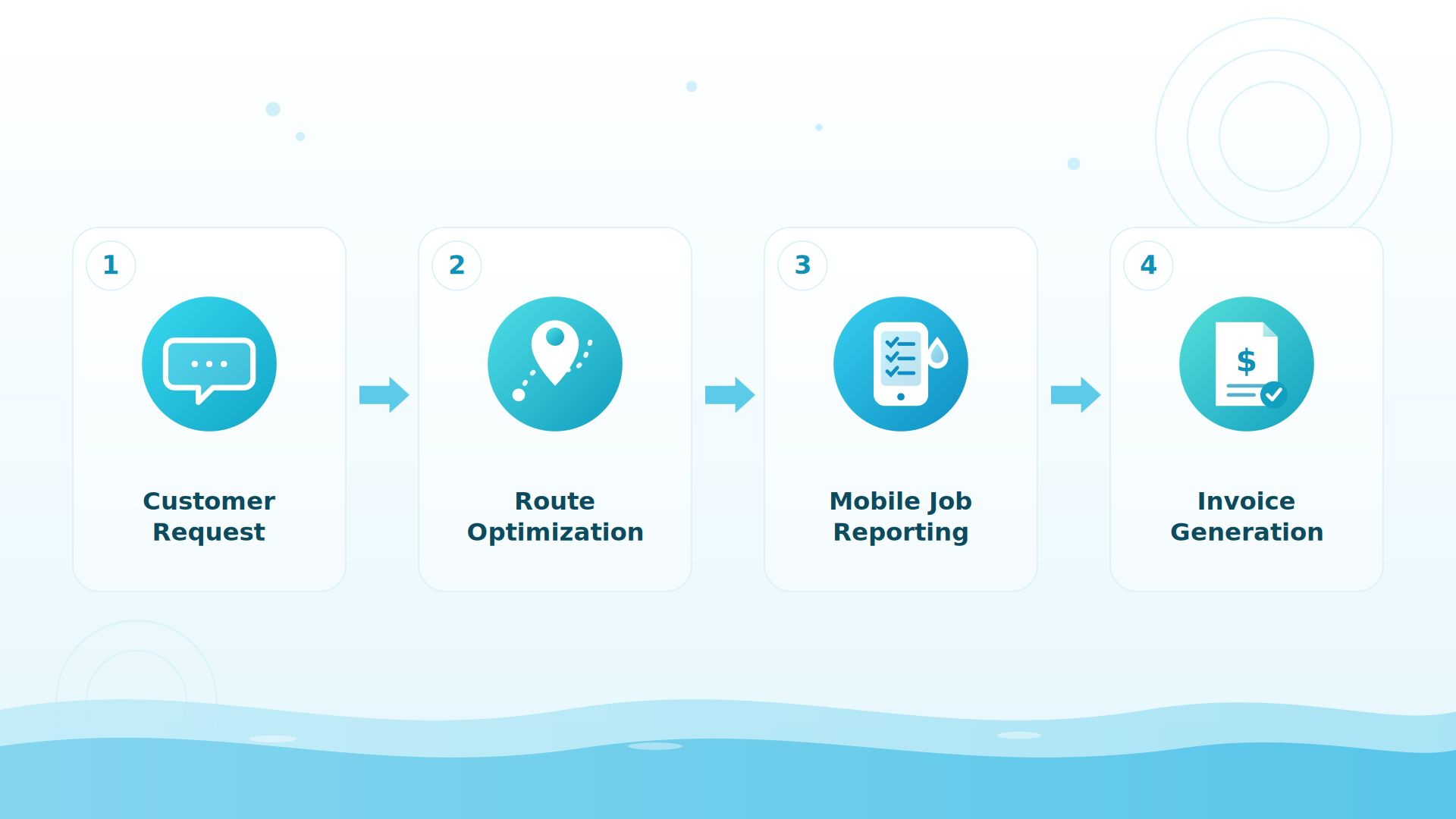
Mark it complete and the office sees the finished visit as it syncs. The customer gets a photo-backed service report with full water chemistry. The schedule board updates. And when it’s time to bill, the visit becomes the invoice in two taps — labor, service call, chemicals, all already there.
BIG PICTURE
Put it on a phone today
Most technicians are comfortable in the app within days — the support center has a 5-minute setup guide. 614-710-0074 if you’d rather we walk you through it.

Built for how techs actually work
Two taps for a reading. One tap to text “on the way.” The gate code on the ticket, not in a group chat. The app assumes wet hands, bright sun, and a schedule that changes at 10am — because it was built by pool pros who lived that day. Sales and billing tabs are on mobile now too, so techs can see pricing and quote history in the field.
Customer-reported results
Companies running their field day through POM tell us: about 50% less time on daily office tasks, around 5x fewer customer inquiries (the photo-backed report answers “did the tech come?” before it’s asked), and 100% visibility into every job.
Keep exploring
Scheduling & routes · Water chemistry & dosing · Billing & QuickBooks · Pricing · Inventory & ordering
We were excited to try this program and have been satisfied with the use. Love the scheduling feature, from an office stand point, and the guys are happy with not having to use paper.
Town & Country
I can easily keep track of my employees progress throughout the day and have the ability to send other techs to fill in if needed. Love the maps optimization feature. Saves time and money
Aqua Clear Pools
Great software program. Keeps our route in order while providing detailed service reports to all of our clients when the cleaning/maintenance is complete
Blue Water Pools
FAQ
Mobile app questions
What phones does it run on?
iOS and Android — techs install it from the App Store or Google Play and sign in with their POM user. The support center’s “Put the tech app on a phone” guide takes about 5 minutes.
How long does it take a tech to learn?
Most technicians are comfortable within days — many within their first day of service. The day is laid out for them: stops in order, checklists per visit, two-tap readings.
What does the office see?
The finished visit as it syncs: checklist, photos, chemistry, chemicals used, and time — plus GPS-verified locations on the map during the workday.
Does the visit really become the invoice?
Yes — labor, service call, and every chemical the tech logged carry straight onto the invoice. Two taps at billing time.
Give your crew the app
30 days, every feature, card at signup, nothing charged until day 30, cancel anytime. 614-710-0074.