
If you’re running a growing pool service company and wondering whether there’s a better option than your current software, you’re not alone. Changing business software feels risky — customers to serve, techs in the field, invoices going out. That’s why we built Pool Office Manager to make switching easy, and to give you everything in one platform so you never have to think about switching again.
Looking for a Pool Brain Alternative?
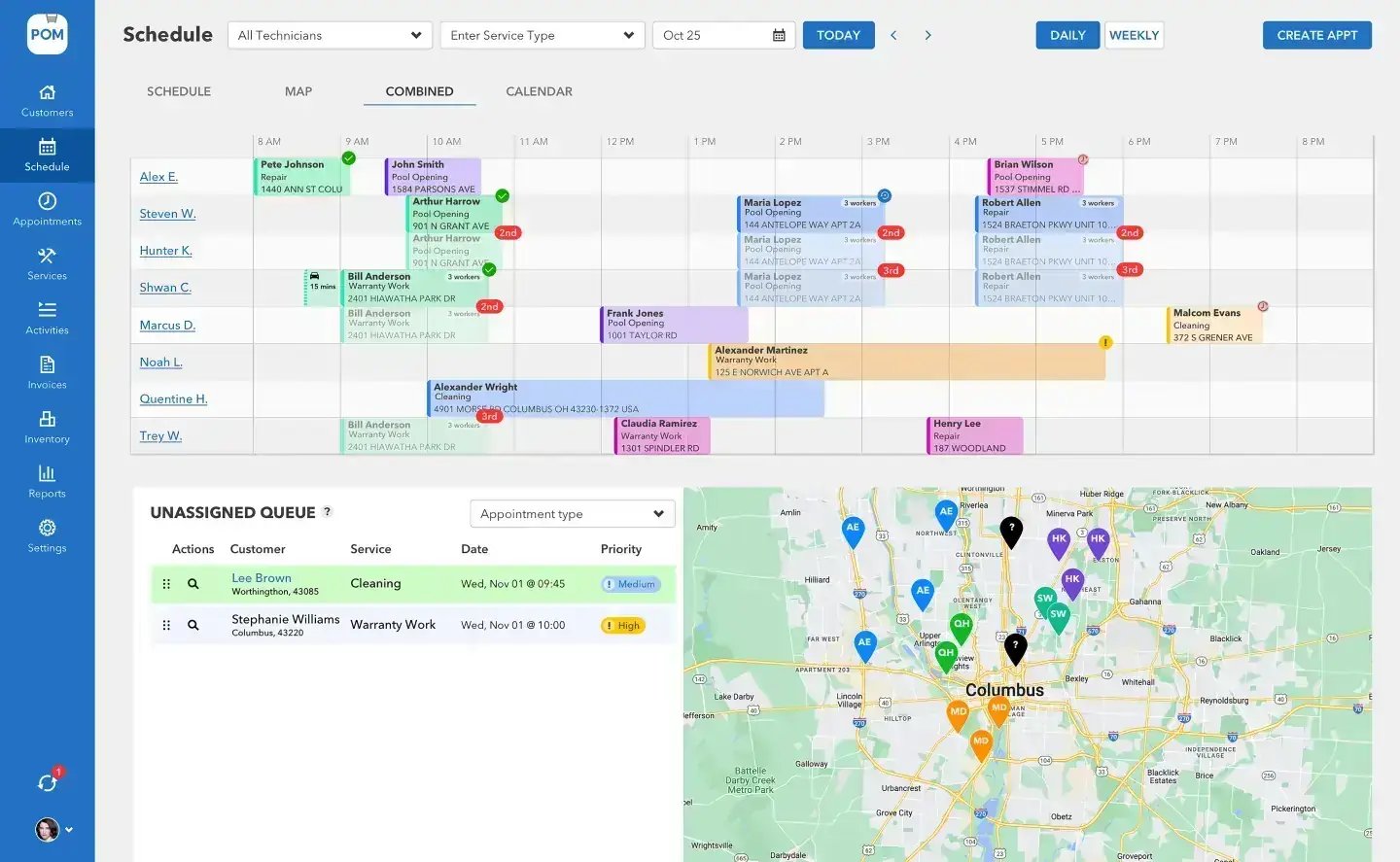
What makes Pool Office Manager different
Two-way QuickBooks integration
The feature pool service owners ask about most. Full two-way sync — not a one-way push, not a manual export. When an invoice is created in POM, it shows up in QuickBooks automatically. Invoice status syncs back, so your team can see when invoices are marked paid. Customer data stays in sync between both systems, reducing the accounting work that used to require manual double entry.
All-in-one platform
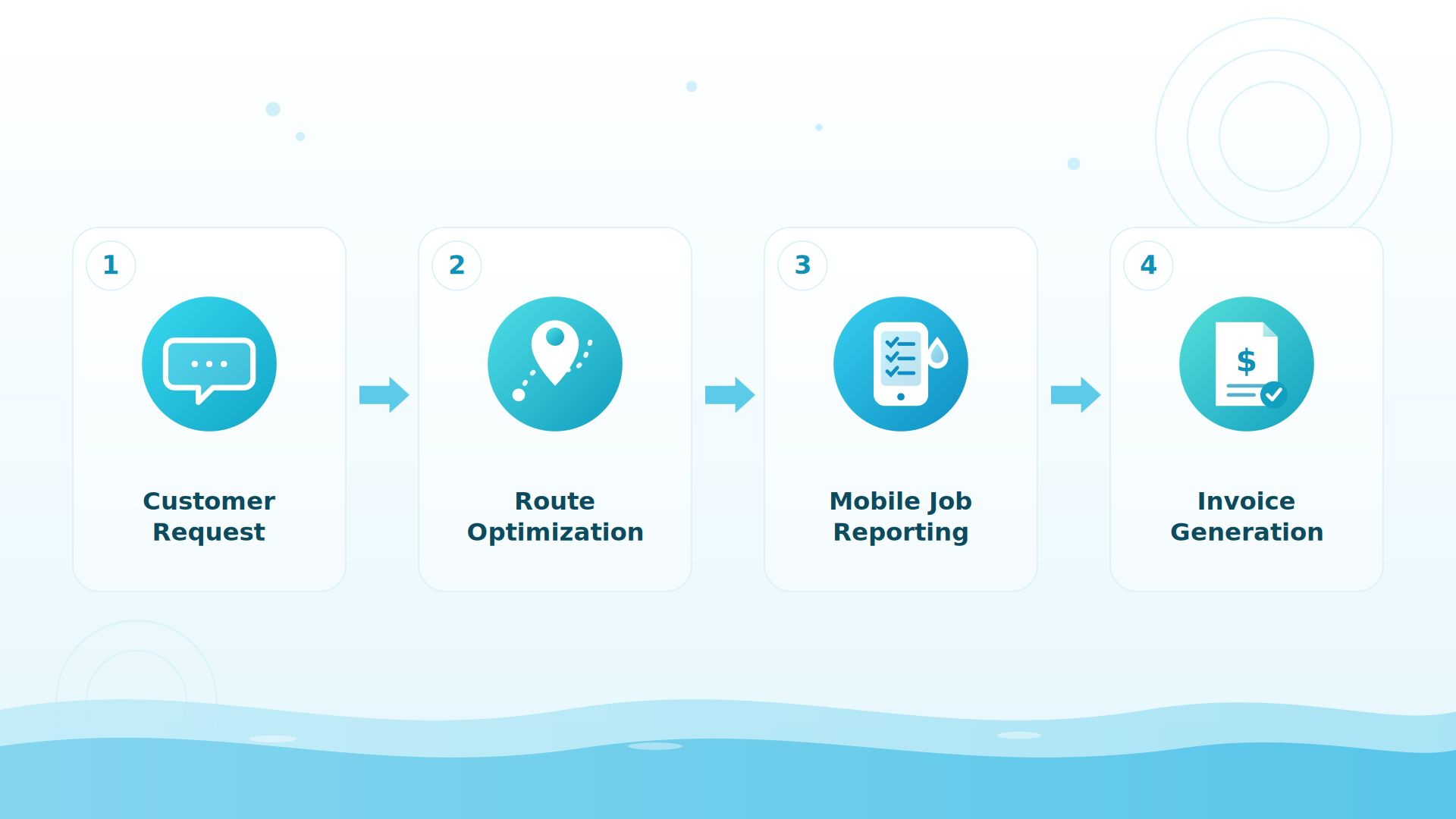
Stop paying for four different tools that don’t talk to each other. Scheduling feeds directly into invoicing, customer history informs the next job, chemical readings are tracked and reported automatically, inventory usage logs during service completion, and routes are optimized on an interactive map — one system, built to work together from day one.
A tech app built for the field
Your technicians run the whole day from the POM mobile app: clock in, see the route, start the job, work the checklist with photos, record chemistry readings beside the previous visit’s values, log chemicals used, and submit. The office sees the finished visit as it syncs — a photo-backed service report your customer can receive automatically.
Built specifically for pool service, with US-based support
POM isn’t generic field service software adapted for pools — water chemistry with dosing calculators, pool equipment records, seasonal service management, and service report templates designed for pool work. And when you call support (614-710-0074), you reach a real person who understands the pool business.
What owners tell us after switching
Three things, every time
Time saved on accounting
The two-way QuickBooks integration reduces manual data entry. No more double-entering invoices. No more reconciliation headaches.
Better field records
Techs finish the report at the pool — checklist, chemistry, photos — instead of “catching up later.” Reported by customers: 100% visibility into every job.
One bill, one system
Instead of juggling subscriptions for scheduling, accounting, CRM, and communication tools, everything lives in one platform with one monthly cost.
Everything you get
| Feature | Pool Office Manager |
|---|---|
| Scheduling & Dispatch | 4 views: Schedule, Map, Combined, Calendar |
| Route Optimization | Interactive map with drag-and-drop |
| Two-Way QuickBooks Sync | Automatic invoice, status, and customer sync |
| Tech Mobile App | The whole field day in one app: route, checklist, photos, chemistry, submit |
| Water Chemistry Tracking | Readings, dosing calculator, LSI index |
| Service Report Templates | Customizable multi-step wizards |
| Customer Management | Full CRM with communication history |
| Inventory Management | Multi-location tracking with usage logging |
| Quoting & Estimates | Quote-to-invoice conversion |
| Invoicing | Local and QuickBooks integrated options |
| Equipment Tracking | Pool equipment records per customer |
| GPS & Activity Tracking | Real-time technician location |
| Time Clock | Built-in employee time tracking |
| Custom Reports | Business analytics and performance data |
| Photo Documentation | Attach photos to service reports |
| Customer Notifications | Email and text service updates |
| Barcode Scanning | Inventory and equipment scanning |
| US-Based Support | Real people who know pool service |
And pricing as simple as the platform: $125/month for your first user, $25/month for each additional active user, every core feature included, no contracts, users on/off by season. Optional add-ons: QuickBooks Online integration (+$25/mo) and customer texting (from $10/mo).
BIG PICTURE
See it on your own pools
30 days, every feature, instant access — card at signup, nothing charged until day 30, cancel anytime.

How easy is it to switch?
Five steps: export your customer list from your current software as a CSV; import into POM with our import tool — or connect QuickBooks and customers sync automatically; set up service types and routes with our team on a 20-minute call; train your techs — most pick up the mobile app quickly; go live, running both systems in parallel for a week if you want.
Migration is free — including from competitors
Send whatever your current system exports to files@poolofficemanager.com with your company name in the file name (questions: help@poolofficemanager.com or 614-710-0074). Imports usually land within 1 business day, and most companies are fully proficient in POM within 7 to 21 days.
Keep exploring
POM vs Pool Brain, side by side · Switch from Pool Brain: how migration works · Jobber alternative · FAQ
We were excited to try this program and have been satisfied with the use. Love the scheduling feature, from an office stand point, and the guys are happy with not having to use paper.
Town & Country
I can easily keep track of my employees progress throughout the day and have the ability to send other techs to fill in if needed. Love the maps optimization feature. Saves time and money
Aqua Clear Pools
Great software program. Keeps our route in order while providing detailed service reports to all of our clients when the cleaning/maintenance is complete
Blue Water Pools
FAQ
Common questions
How is POM different from Pool Brain?
POM is built for seasonal pool service companies of 1–30+ techs that want fast onboarding, flat per-user pricing ($125 first user + $25 each additional), full two-way QuickBooks sync, and built-in inventory. Pool Brain targets very large operations. See our side-by-side comparison for the details.
Will switching disrupt my operation?
Most companies run both systems in parallel for a week or two. Migration is free, imports usually land within 1 business day, and techs typically learn the app within their first day of service.
What does POM cost?
$125/month for your first user, $25/month per additional active user, everything included. Optional add-ons: QuickBooks Online (+$25/mo) and customer texting (from $10/mo). No contracts — users on and off by season.
How does the trial work?
30 days, every feature, instant access. Card at signup, nothing charged until day 30, cancel anytime — reply to any email or call 614-710-0074.
Try Pool Office Manager free for 30 days
See why pool service companies across the United States trust POM. 20-minute setup call included — we import your data and build your first week with you, live. 614-710-0074.
About this comparison. Information about Pool Brain and Jobber on this page comes from publicly available sources and our own understanding of the products as of October 2026. Features, plans and pricing change, and details may be out of date or incomplete, so please check each company’s own website before you decide. This page reflects our opinion and is not a statement of fact about any company’s current offering. Product names and trademarks belong to their respective owners, and Pool Office Manager is not affiliated with or endorsed by them. See something that needs correcting? Email help@poolofficemanager.com and we will review it promptly.