
Choosing pool service software is a big decision. You need something that fits the way your company actually operates — not just the way a sales demo looks. Both platforms are built specifically for the pool industry; they take very different approaches. Here’s a straightforward comparison.
Pool Office Manager vs Pool Brain: Honest Comparison
Which is better, Pool Office Manager or Pool Brain?
It depends on the size of your operation. Pool Office Manager is built for seasonal pool service and repair companies running roughly 1 to 30 technicians, with per-user pricing ($125 for the first user, $25 each additional, as of October 2026) and users you can switch off in the off-season. Pool Brain was designed around a 35-truck operation and leans into enterprise analytics, technician scorecards and detailed chemical cost tracking. Choose POM for a fast-to-learn, seasonal-friendly platform; choose Pool Brain if you run a large, year-round fleet and want deep operational analytics.
Quick summary: who each platform serves best
Pool Office Manager is built for seasonal pool service and repair companies, particularly operations running 1 to 30+ technicians who need a platform that’s fast to learn, affordable to scale, and flexible enough to handle the realities of seasonal work — changing routes, weather delays, one-off repairs, and off-season adjustments.
Pool Brain is built for large pool companies with 35+ trucks. Their founder ran a 35-truck operation in Phoenix, and the software was designed for that scale. It focuses heavily on enterprise-level analytics, technician scorecards, and detailed chemical cost tracking across large operations.
Feature comparison
| Feature | Pool Office Manager | Pool Brain |
|---|---|---|
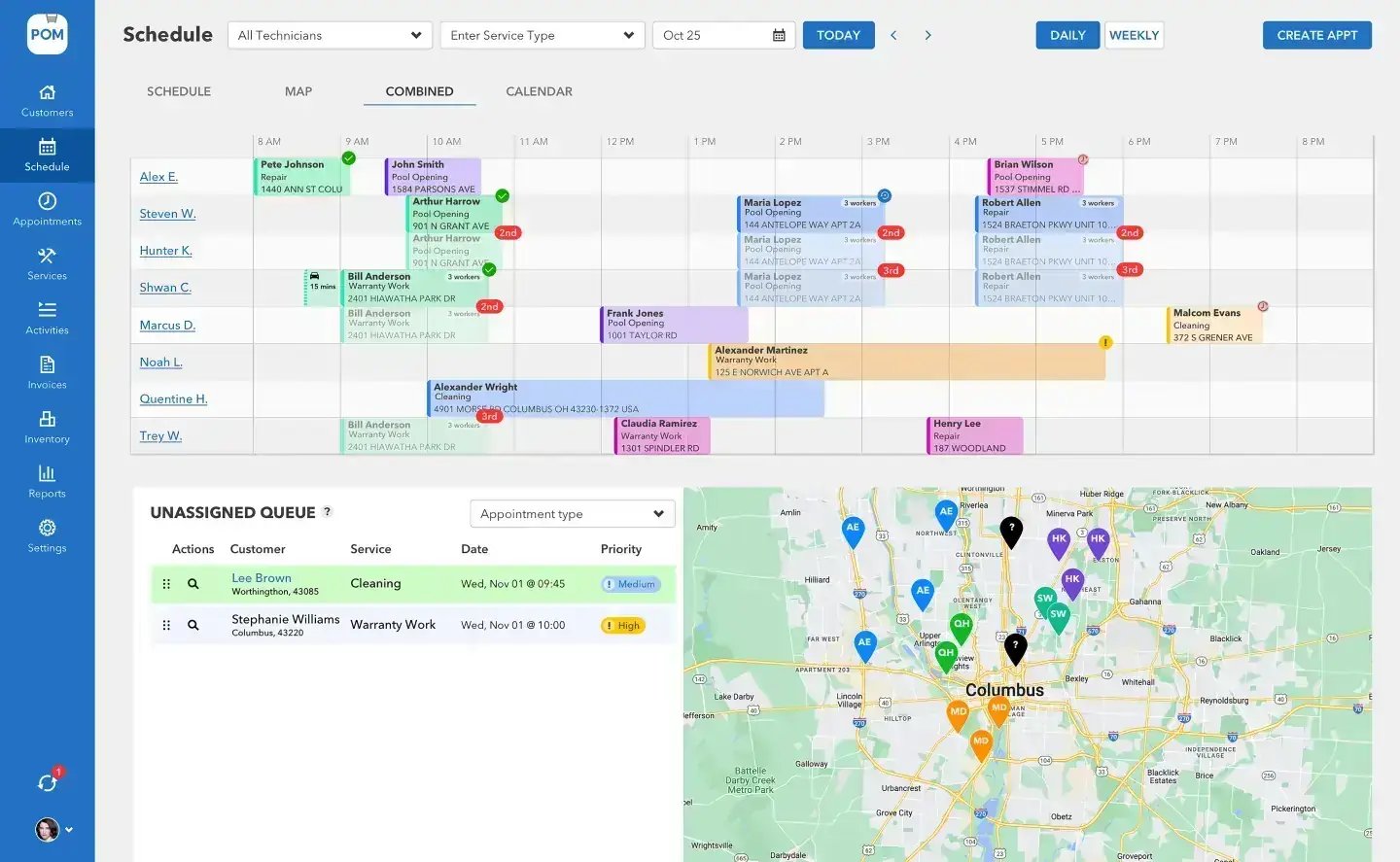
| Scheduling & Routing | 4 views (Schedule, Map, Combined, Calendar). Drag-and-drop. Google Maps route optimization up to 25 stops/day. | Drag-and-drop. One-click optimization. Real-time progress map. |
| Water Chemistry | 11 chemistry variables. Built-in LSI calculator. Dosing recommendations by CYA level. | Auto-calculated chemical dosing. Chemical cost tracking by customer, tech, and company. |
| Invoicing | Create from completed services. Batch invoicing. Stripe payments (card + ACH). | Automated monthly billing. Auto-charge credit card or ACH. |
| QuickBooks | Full two-way sync: invoices, customers, and status syncs back automatically. | Two-way sync: customer names, invoices, payments, refunds, products. |
| Mobile App | The whole field day in one app: route, checklist with photos, chemistry beside last visit’s values, dosing math, one-tap submit. | Mobile app for technicians — see poolbrain.com for current capabilities. |
| Custom Checklists | Customizable multi-step service wizards per service type. | Custom task checklists that technicians cannot skip or bypass. |
| Inventory | Multi-location tracking (warehouse, trucks, trailers). Barcode scanning. Auto-deduction on use. | Limited inventory info available. |
| GPS Tracking | Real-time tech location. Historical data by date. Activity dashboard. | Real-time job status map. |
| Equipment Tracking | Pool equipment records per customer (pump, filter, heater, cleaner, salt system). | Equipment tracking per property/body of water. Workflows change based on equipment entered. |
| Payroll | Time clock with GPS verification. Export to CSV/PDF. | Built-in payroll calculations. Different pay levels per employee, property, body of water, and service type. |
| Quoting | Create quotes, e-signatures, convert to invoices. | Jobs and quotes available. |
| Customer Communication | Email and text from CRM. Appointment reminders. Service updates. | Auto-sent service emails with photos when stops are completed. One-click customer feedback. |
| Seasonal Flexibility | Activate/deactivate users month-to-month. Routes built for seasonal changes. | Year-round scheduling focused. |
| Alerts & Monitoring | Reporting dashboards. | Automatic alerts for potential issues. Technician scorecards. High-usage chemical notifications. |
Pricing comparison
This is where the numbers tell the real story.
| Team Size | Pool Office Manager | Pool Brain | You Save with POM |
|---|---|---|---|
| 1 tech (solo) | $125/mo (first user) | ~$65/mo ($55 tech + $10 admin) | Pool Brain is less for 1 tech |
| 3 techs | $175/mo | ~$175/mo | About the same |
| 5 techs | $225/mo | ~$285/mo | $60/mo ($720/yr) |
| 10 techs | $350/mo | ~$560/mo | $210/mo ($2,520/yr) |
| 15 techs | $475/mo | ~$835/mo | $360/mo ($4,320/yr) |
| 20 techs | $600/mo | ~$1,110/mo | $510/mo ($6,120/yr) |
The key difference: past your first user, POM charges a flat $25/user. Pool Brain charges $55/technician. As your team grows, that gap widens fast.
Pool Brain pricing ($55/technician + $10/admin seat) as independently reported, January 2026 — verify current pricing at poolbrain.com. POM pricing is current as of September 2026.
Seasonal bonus: POM lets you deactivate users during the off-season and stop paying for those seats immediately. If you run 10 techs in summer and 4 in winter, you pay for 10 in summer and 4 in winter. No negotiation needed.
The three differences that matter
Where the platforms split
Pricing model
POM: $125 first user + flat $25 per additional user. Pool Brain: ~$55 per technician + $10 per admin seat. At 10 techs that’s roughly $350 vs ~$560 a month.
Time to productive
POM techs learn the mobile app in minutes and most companies are proficient in 7–21 days. Pool Brain implementations typically take weeks to months.
Seasonal flexibility
POM lets you turn users on and off month to month, so a 10-tech summer and a 4-tech winter cost what they should. Pool Brain is year-round focused.
Onboarding & learning curve
Pool Office Manager: technicians learn the mobile app in minutes; office staff get the training portal, how-to videos, and free live training. Typical migration: 1–2 days (under 100 customers) to 1–2 weeks (500+). Import customers via CSV or auto-sync through QuickBooks.
Pool Brain: implementation typically takes weeks to months, including training and technician adoption management. More configuration options mean more setup time, and it’s designed for companies with dedicated operations managers to drive adoption.
If you have a dedicated ops team for a multi-month rollout, Pool Brain’s depth may be worth it. If you need techs productive this week, POM is designed to get you there fast.
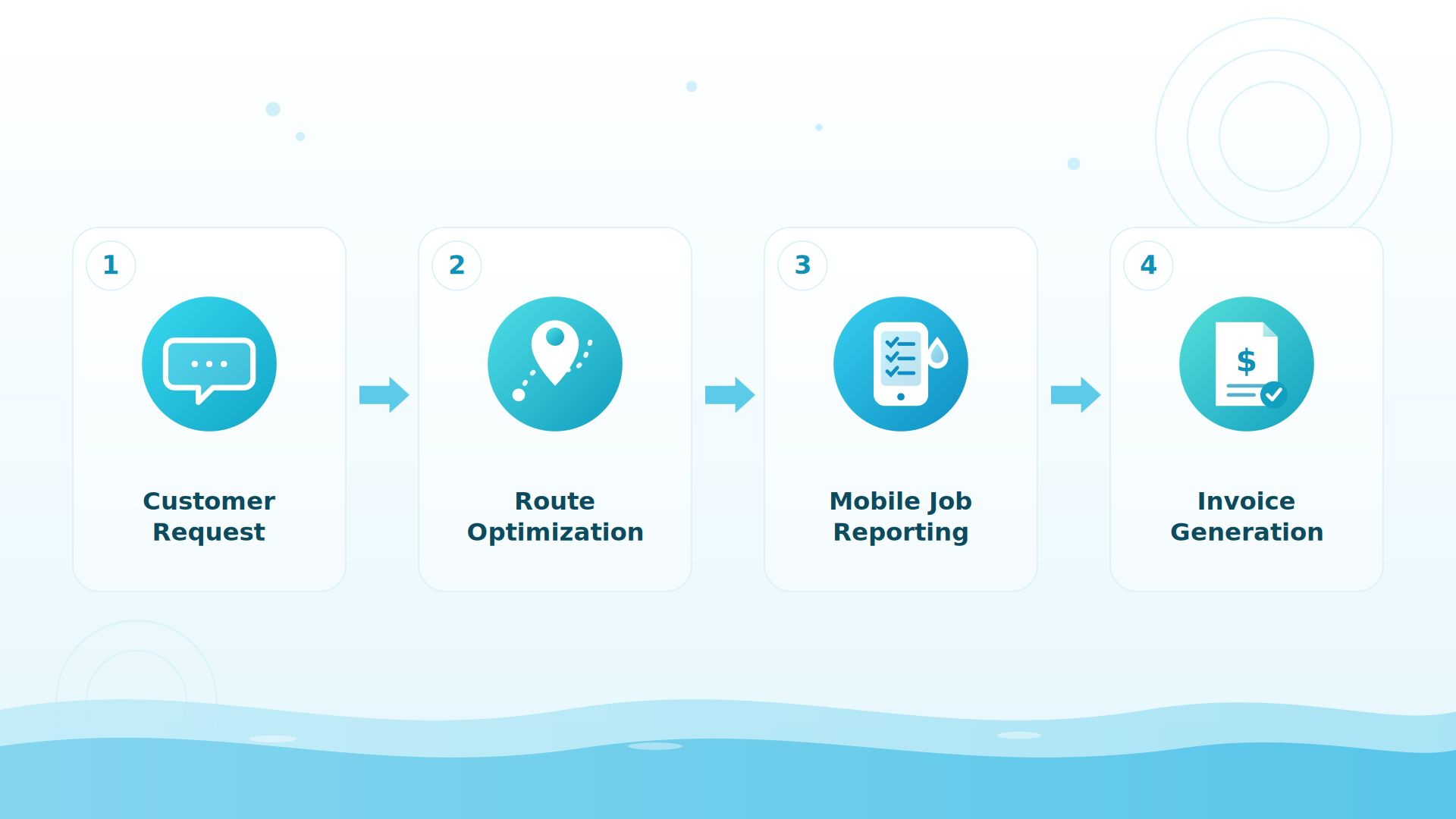
BIG PICTURE
See the difference on your own routes
Full access for 30 days — every feature, your real customers, card at signup, nothing charged until day 30.

Mobile app & support
POM in the field: the app runs the full visit — checklist, photos, chemistry readings beside the previous visit’s values, dosing math, inventory used, one-tap submit — with data syncing automatically when connectivity returns. iOS and Android.
POM support: US-based phone support from people who understand pool service (614-710-0074), free live training, and a training portal. No chatbots.
Pool Brain: iOS and Android apps (see poolbrain.com for current capabilities), onboarding support, and a help center. Some users have reported battery drain and slower performance on large datasets — test both apps on your own phones during a trial.
Which should you choose?
Choose POM if: you run a seasonal operation with changing routes; you have 3–20 technicians and need affordable scaling; you want the team productive within days; QuickBooks two-way sync matters; you prefer real people on the phone.
Pool Brain may fit if: you run 35+ trucks and need enterprise analytics; you want enforced checklists techs cannot skip; scorecards and chemical cost tracking are central to your management; you have an ops manager for a multi-month implementation; you need built-in payroll with complex pay structures.
Keep exploring
Pool Brain alternative · Switch from Pool Brain: how migration works · POM vs Skimmer · Pricing · Software pricing explained
We were excited to try this program and have been satisfied with the use. Love the scheduling feature, from an office stand point, and the guys are happy with not having to use paper.
Town & Country
I can easily keep track of my employees progress throughout the day and have the ability to send other techs to fill in if needed. Love the maps optimization feature. Saves time and money
Aqua Clear Pools
Great software program. Keeps our route in order while providing detailed service reports to all of our clients when the cleaning/maintenance is complete
Blue Water Pools
FAQ
Switching from Pool Brain?
What does the transition look like?
Five steps: export your customer list from Pool Brain (CSV or QuickBooks sync); start a free 30-day POM trial; import your customers — our team walks you through it; train your techs — most pick up the app within their first day; run both in parallel for a week if you want peace of mind, then cut over.
Is migration really free?
Yes — send whatever your current system exports to files@poolofficemanager.com with your company name in the file name. We clean and import it, usually within 1 business day.
How long until my team is proficient?
Most companies are fully proficient in POM within 7 to 21 days. Technicians typically learn the mobile app within their first day of service.
How does the trial work?
30 days, every feature, instant access. Card at signup, nothing charged until day 30, cancel anytime — reply to any email or call 614-710-0074.
Try Pool Office Manager free for 30 days
Full access. Every feature. Nothing charged until day 30 — cancel anytime. Questions? 614-710-0074.
About this comparison. Information about Pool Brain on this page comes from publicly available sources and our own understanding of the products as of October 2026. Features, plans and pricing change, and details may be out of date or incomplete, so please check each company’s own website before you decide. This page reflects our opinion and is not a statement of fact about any company’s current offering. Product names and trademarks belong to their respective owners, and Pool Office Manager is not affiliated with or endorsed by them. See something that needs correcting? Email help@poolofficemanager.com and we will review it promptly.