
Most pool service owners run on instinct, and instinct built the business. But somewhere around the second truck, the questions get harder than instinct can answer. Am I charging enough? Which customers are actually profitable? Do I need another tech, or a better route? Should I drop the far side of town?
Your Service Data Is Telling You Something
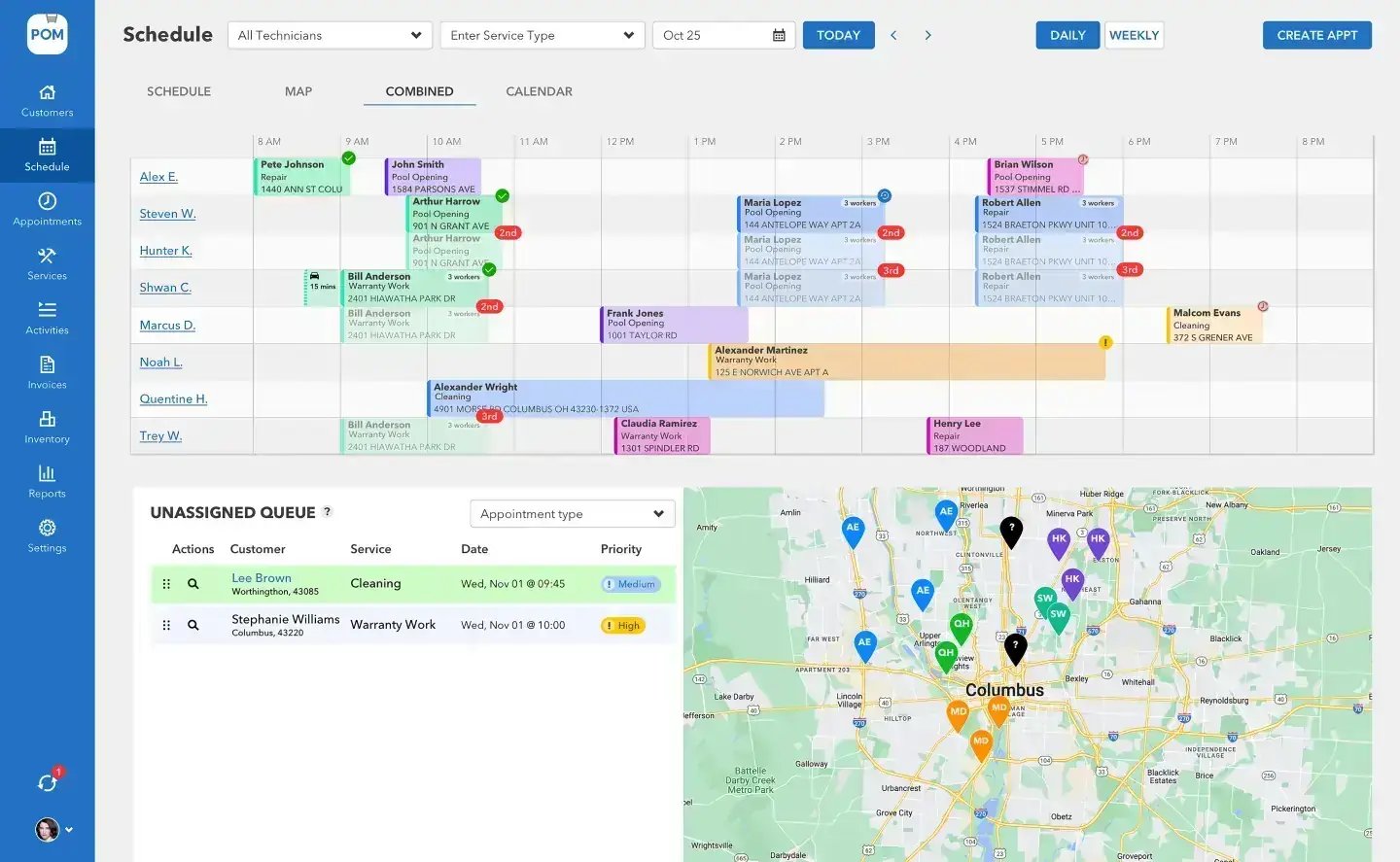
Here’s the thing: your company already produces the data that answers every one of those questions. Every visit, every chemical dose, every drive between stops, every invoice that goes out late is a data point. Most companies just never write it down — or write it down in places (paper forms, a tech’s memory, a shoebox of receipts) where it can’t talk. This page is about what your service data can tell you once you start keeping it, wherever you keep it.
The five questions your data can answer
1. What does a stop actually cost you? Take one route for one week and add up, per stop: minutes on site, minutes driving to it, and chemicals used. Multiply time by your loaded labor rate. Most owners have never seen this number — and it varies wildly across a customer list that all pays roughly the same monthly rate. The spread between your cheapest stop and your most expensive is where your pricing problems and your opportunities both live.
2. Which customers are quietly unprofitable? Once you know cost per stop, rank the list. The pattern is almost always the same: a handful of accounts — the far-away pool, the always-green pool, the property that eats an extra twenty minutes of conversation every week — cost more to serve than they pay. You don’t necessarily fire them; you reprice them, tighten them, or knowingly keep them. What ends is subsidizing them by accident.
3. Is that pool drifting toward a problem? A single chemistry reading is a snapshot; a season of readings is a story. A pool whose chlorine demand keeps climbing, or whose pH won’t hold, is telling you about a failing part, an environmental change, or a dosing habit — weeks before it turns green. Reading trends instead of single visits is the difference between a ten-minute adjustment and an emergency callback.
4. Where does the workweek actually go? Total field hours split three ways: on pools, on the road, and on everything else (the shop, the phone, the return trips). Owners consistently overestimate the first bucket. If road-and-everything-else is climbing while pools stay flat, you don’t have a hiring problem yet — you have a routing and process problem, which is much cheaper to fix.
5. How long does your money take to arrive? Date of service to date of invoice, and date of invoice to date paid. The first gap is entirely yours to close — every day a completed visit sits unbilled is an interest-free loan to your customer, made in July when your expenses peak. Companies that bill from completed visits weekly instead of “when I get to it” routinely find weeks of cash flow hiding in that gap.
Start here
How to start without drowning
Pick one question
Usually cost per stop, because it feeds the others. Measure one route for two weeks — that’s it.
Decide one thing
A price change, a route change, a customer conversation. Data you don’t act on is a hobby; one decision per month from real numbers compounds fast.
Write it where it accumulates
Dated, per customer, in one place. A binder beats a tech’s memory. A spreadsheet beats a binder. A system your techs feed automatically beats them both.
Reading trends, not snapshots
The most valuable habit in this whole page is comparing this visit to the last one. A pool whose chlorine demand keeps climbing is telling you about a failing part or an environmental change weeks before it turns green. A route whose drive time creeps up is telling you the week needs re-dealing. An invoice gap that stretches from three days to ten is telling you July’s cash crunch is coming. None of these show up in a single data point — all of them show up in two numbers side by side.
BIG PICTURE
Want help finding what your numbers are saying?
Book a free 20-minute call — real pool-industry people who have read a lot of route sheets. Bring whatever records you have; we’ll tell you which of the five questions your data can already answer. 614-710-0074.

Where software fits — honestly
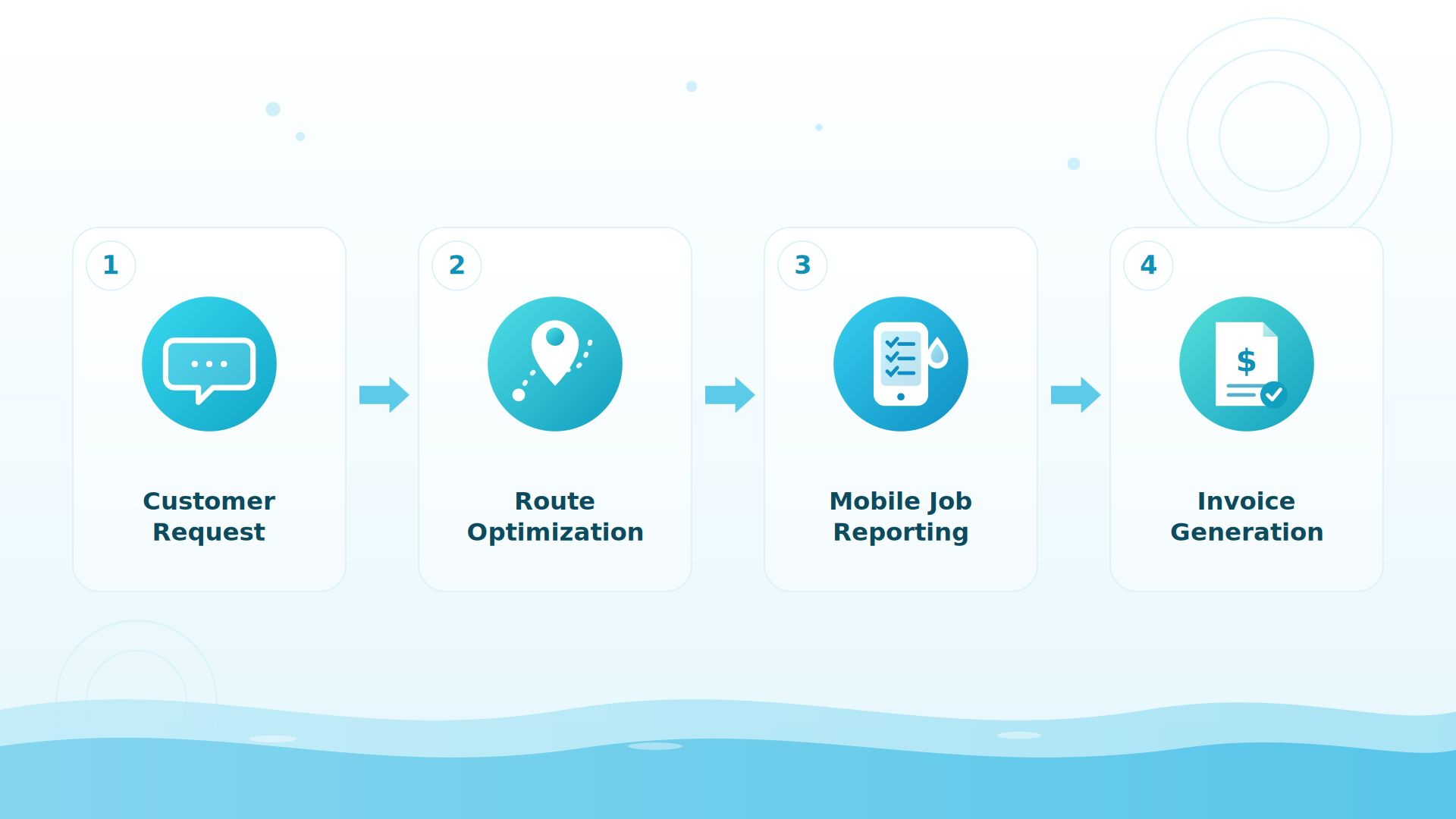
Pool Office Manager’s whole design is that this data collects itself while your crew does the work they already do. Techs record chemistry, chemicals used, photos, and time in the mobile app during the visit; every reading lands next to last visit’s number so drift is visible at the pool, not just in a year-end review; completed visits carry their labor and chemicals straight onto invoices; and reports slice all of it by customer, technician, service type, or date — exportable to CSV whenever you want to dig deeper.
What companies report
Companies using POM tell us they spend about 50% less time on daily office tasks, and the QuickBooks Online sync alone saves them 4 to 6 hours a month on billing. You can answer every question on this page with paper — the software’s job is making sure the answers keep arriving after the season gets busy.
Keep exploring
Using AI on your pool business data · Reports & visibility in POM · Short-staffed: running the route anyway
We were excited to try this program and have been satisfied with the use. Love the scheduling feature, from an office stand point, and the guys are happy with not having to use paper.
Town & Country
I can easily keep track of my employees progress throughout the day and have the ability to send other techs to fill in if needed. Love the maps optimization feature. Saves time and money
Aqua Clear Pools
Great software program. Keeps our route in order while providing detailed service reports to all of our clients when the cleaning/maintenance is complete
Blue Water Pools
FAQ
Common questions
I keep everything on paper. Is that enough to start?
Yes. One route, two weeks, a notepad: arrival and departure times, chemicals used, anything that wasn’t pool work. That answers cost-per-stop, and cost-per-stop feeds everything else.
What’s the first decision most owners make from this?
Repricing or restructuring a handful of quietly unprofitable accounts — the far-away pool, the always-green pool. Not firing them: repricing them, tightening them, or knowingly keeping them.
How does POM collect this automatically?
Techs record chemistry, chemicals, photos, and time in the app during the visit. Completed visits carry labor and chemicals onto invoices. Reports slice by customer, technician, service type, or date, and export to CSV.
How do I get a second opinion on my numbers?
Book a free 20-minute call (614-710-0074) — or start the 30-day trial and let the data start collecting itself: every feature, card at signup, nothing charged until day 30, cancel anytime.
Ask an expert
Free 20-minute call with real pool-industry people. Bring whatever records you have — we’ll tell you what they can already answer. 614-710-0074.