
Skimmer and Pool Office Manager are both built specifically for pool service companies — neither is generic field service software. Both handle scheduling, routing, chemistry, invoicing, and mobile service reports. What’s different comes down to how you run your business, how the pricing scales, and what you need beyond the basics.
Pool Office Manager vs Skimmer: Straight Comparison
Which is better, Pool Office Manager or Skimmer?
It depends on how many pools each technician services. Pool Office Manager charges per user ($125 for the first, $25 each additional, as of October 2026). Skimmer charges per serviced location ($1 or $2 per pool per month with $49 or $98 minimums, as of August 2026). Choose POM if your techs each cover many pools, you need built-in inventory and time tracking, or your routes change seasonally. Choose Skimmer if you are a solo operator with fewer pools per tech, need Spanish-language support, or want a homeowner-facing portal. Full comparison and cost scenarios below.
Quick summary
Pool Office Manager charges per user ($125/month for the first user, $25/month per additional active user). Every feature is included in every account. Designed for seasonal pool service companies that need flexibility — changing routes, weather delays, off-season adjustments, and the ability to scale users up and down without penalty.
Skimmer charges per serviced location, on two tiers: $1/location/month with a $49/month minimum, or $2/location/month with a $98/month minimum for the fuller feature set — unlimited users on both. Claims 30,000+ pool pros on the platform. Focuses on simplicity and ease of use, with strong customer communication features and a large support team.
Feature comparison
| Feature | Pool Office Manager | Skimmer |
|---|---|---|
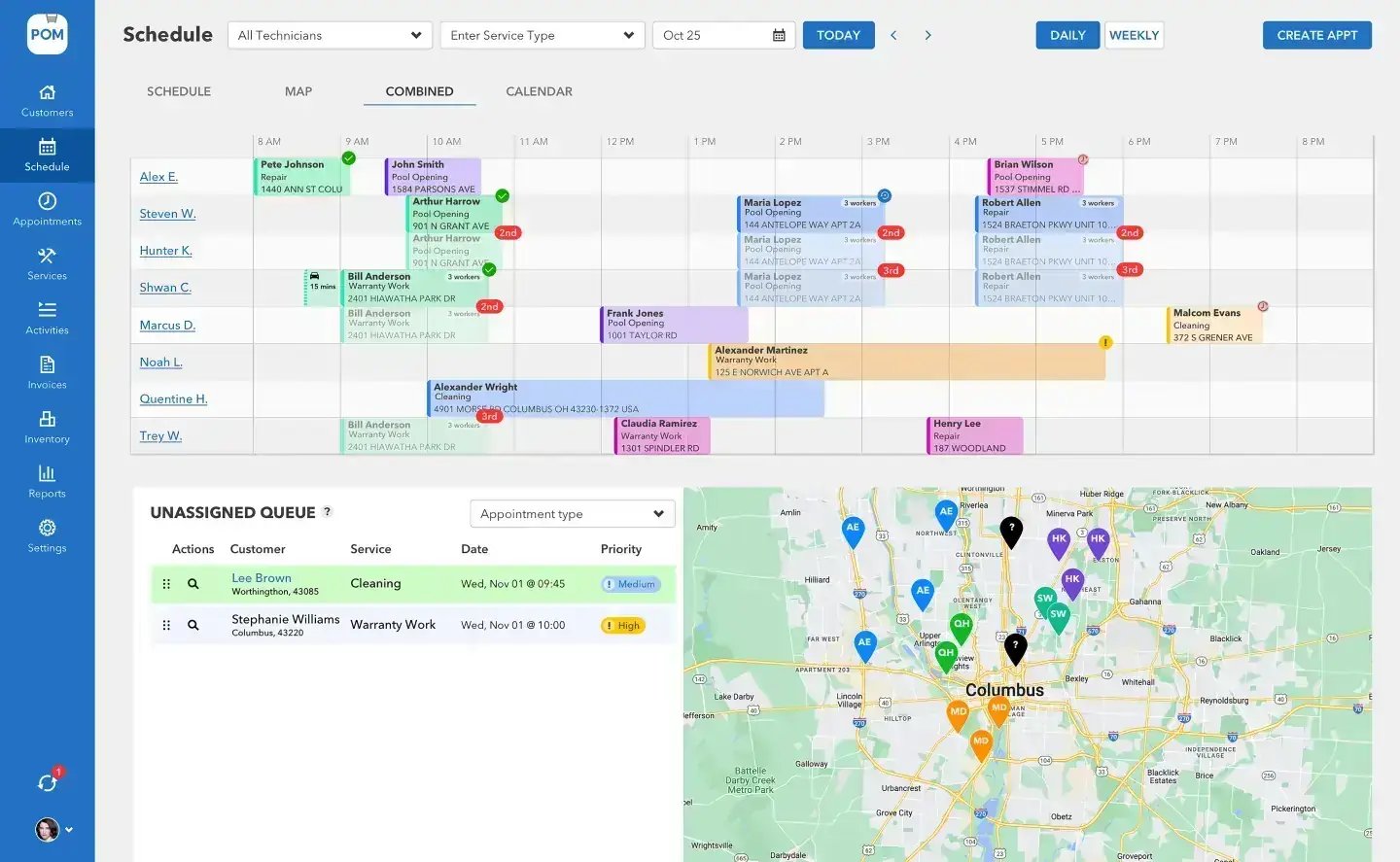
| Scheduling Views | 4 views: Schedule, Map, Combined, Calendar | Route list with integrated map |
| Route Optimization | Google Maps powered, up to 25 stops/day | Drag-and-drop with travel times |
| Water Chemistry | 11 chemistry variables. Built-in LSI calculator. Dosing recommendations by CYA level. | Chemical tracking with LSI calculator. Dosing recommendations. |
| Invoicing | Create from completed services. Batch invoicing. 4 billing models. | Invoice from within the platform. AutoPay. Next-day payouts. |
| QuickBooks | Full two-way sync: invoices, customers, status syncs back automatically. | QuickBooks Online integration. |
| Payments | Stripe (credit card + ACH). Also QB Payments and Biller Genie with Fortis. | Skimmer Billing with competitive processing rates. PayPal and Stripe. |
| Mobile App | Full field workflow: route, checklist, photos, chemistry, dosing, barcode scanning, clock in/out, one-tap submit. | Mobile-first design. Android, iOS, iPad. |
| Inventory | Multi-location tracking. Barcode scanning. Auto-deduction on use. Transfers between locations. | Limited inventory features. |
| Equipment Tracking | Per-customer equipment records (pump, filter, heater, cleaner, salt system, sanitizer). | Equipment tracking available. |
| Quoting & Estimates | Quotes with e-signatures. Convert to invoices. Status tracking. | Jobs feature for one-time and recurring work. |
| GPS Tracking | Real-time tech location. Historical data by date. Activity dashboard. | Technician location tracking. |
| Time Clock | Built-in clock in/out with GPS verification. Reports by day, week, pay period. Export for payroll. | Not a core feature. |
| Service Reports | Customizable multi-step wizards. Photo documentation. | Auto-emailed service reports with photos and chemical readings. |
| Customer Communication | Email and text from CRM. Appointment reminders. Service updates. | Auto-emailed service reports. Customer portal. |
| Seasonal Flexibility | Activate/deactivate users month-to-month. Routes built for seasonal variation. | Per-location pricing — no charge for unserviced locations in a given month. |
| Language Support | English | English and Spanish |
| Support | US-based phone support. Free live training. Training portal with videos. | US-based team: 10+ reps, 5 CSMs, 2 onboarding managers. Phone, chat, email. |
Pricing: which model saves you more?
It depends entirely on your ratio of technicians to customers.
| Scenario | Pool Office Manager | Skimmer (est.) | Better Value |
|---|---|---|---|
| 1 tech, 40 pools | $125/mo | $49 basic – $98 full | Skimmer |
| 1 tech, 80 pools | $125/mo | $80 basic – $160 full | Depends on tier |
| 3 techs, 150 pools | $175/mo | $150 basic – $300 full | POM at full feature set |
| 5 techs, 250 pools | $225/mo | $250 basic – $500 full | POM |
| 5 techs, 500 pools | $225/mo | $500 basic – $1,000 full | POM |
| 10 techs, 500 pools | $350/mo | $500 basic – $1,000 full | POM |
| 10 techs, 1,000 pools | $350/mo | $1,000 basic – $2,000 full (quote above 1,000) | POM |
Key insight: if your technicians each service a high number of pools (which is the whole point of route optimization), POM’s per-user model becomes dramatically cheaper than Skimmer’s per-location model. A productive 5-tech team servicing 500 pools pays $225/mo with POM vs $500–$1,000/mo with Skimmer depending on tier.
Skimmer pricing as independently verified August 31, 2026 — confirm current pricing at getskimmer.com. POM pricing current as of September 2026.
Seasonal note: POM lets you deactivate users in the off-season — drop from 10 techs to 4 and your bill drops from $350 to $200 immediately. Skimmer doesn’t charge for locations not serviced in a month. Both offer seasonal savings, just calculated differently.
Where POM has an edge
Built in, not bolted on
Inventory management
Multi-location tracking with barcode scanning, auto-deduction during service, and transfers between warehouses and trucks. A full inventory system built in — not an add-on.
Built-in time clock
GPS-verified clock in/out with reports by day, week, and pay period that export for payroll. One less separate app for your techs.
Quotes with e-signatures
E-signature approval and quote-to-invoice conversion built in — if repair quotes and upsells are part of your business, the workflow is ready.
Seasonal route design
Routes designed to change through the year — drag, reschedule, add repairs, handle weather delays, and manage the off-season without breaking your week.
Where Skimmer has an edge
Larger support team: 10+ support reps, 5 customer success managers, 2 onboarding managers. If dedicated support resourcing is a priority, Skimmer has built a larger team.
Spanish language support: Skimmer supports English and Spanish — meaningful for bilingual or Spanish-speaking crews.
Market presence: 212+ Capterra reviews and a claimed 30,000+ pool pros. More peer knowledge and market validation.
Customer portal: homeowners can view their service history and reports online.
We’d rather you know this going in — and still bet that once you run both on your own routes, the math and the field workflow win it for POM.
BIG PICTURE
Run the math on your own routes
30 days of full access. Load your customers, run your real week, and compare your actual monthly cost.

Choose Pool Office Manager if…
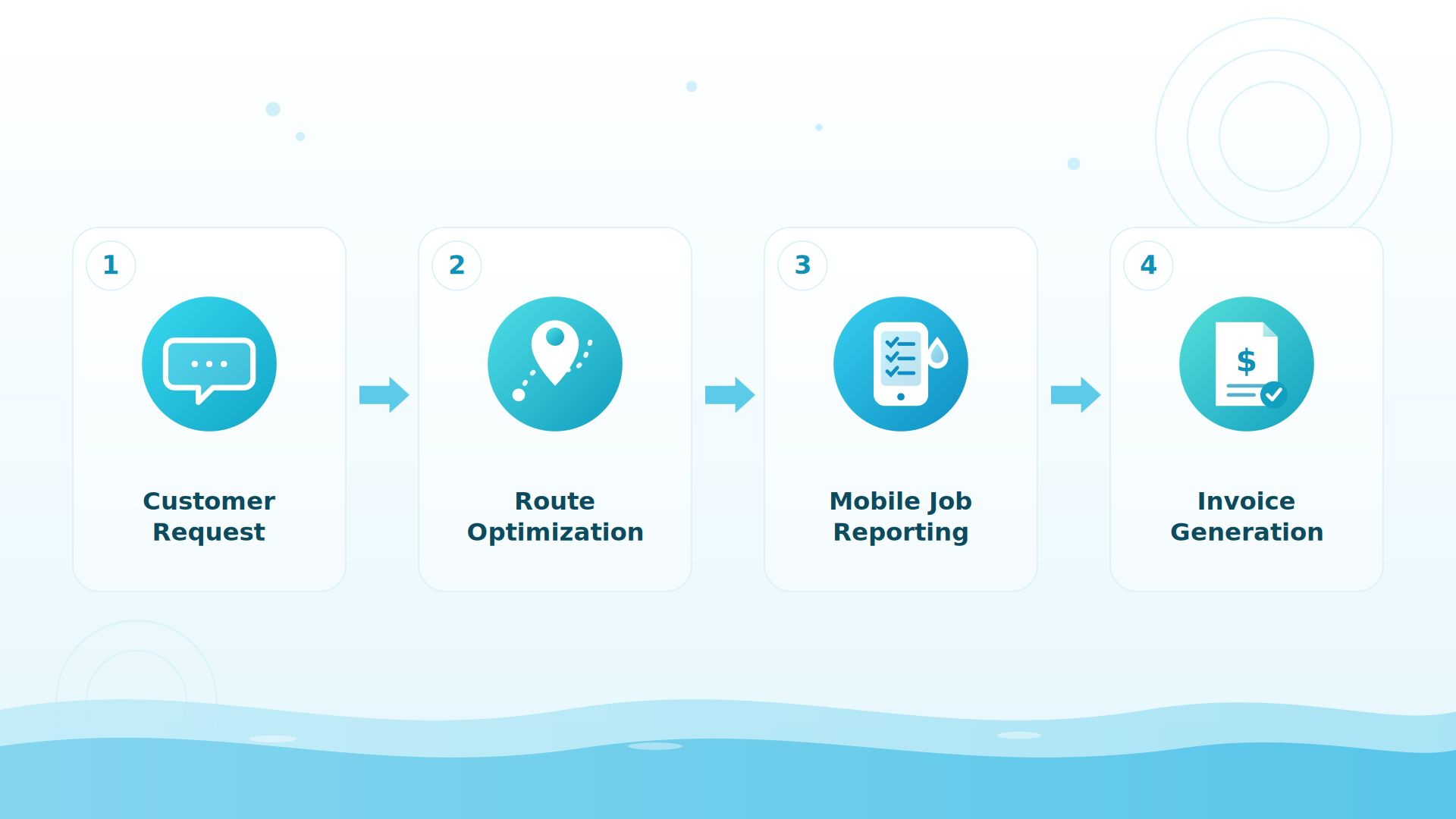
You service a high number of pools per technician and want predictable per-user pricing; inventory management matters to your operation; you need built-in time tracking for payroll; seasonal flexibility is central to your business; you want one system replacing separate scheduling, invoicing, CRM, GPS, time clock, and inventory tools; and two-way QuickBooks sync with status syncing back matters to your bookkeeping.
Skimmer might fit if…
You’re a solo operator or small team servicing fewer pools per tech; Spanish language support is important for your team; you value the largest community of pool service peers; a customer-facing portal is a priority; or you want the widest available support team.
Keep exploring
POM vs Pool Brain · Water chemistry & dosing · Pricing · FAQ · Software pricing explained
We were excited to try this program and have been satisfied with the use. Love the scheduling feature, from an office stand point, and the guys are happy with not having to use paper.
Town & Country
I can easily keep track of my employees progress throughout the day and have the ability to send other techs to fill in if needed. Love the maps optimization feature. Saves time and money
Aqua Clear Pools
Great software program. Keeps our route in order while providing detailed service reports to all of our clients when the cleaning/maintenance is complete
Blue Water Pools
FAQ
Common questions
Why does the pricing model matter so much?
Skimmer bills per serviced location; POM bills per user. The more pools each tech services, the more POM’s flat per-user pricing saves you. At 5 techs and 500 pools: $225/mo with POM vs $500–$1,000/mo with Skimmer, depending on tier.
Can I switch from Skimmer to POM?
Yes — migration is free. Export your customers from Skimmer (or sync via QuickBooks Online), send files to files@poolofficemanager.com with your company name in the file name, and we clean and import them, usually within 1 business day.
How does the POM trial work?
30 days, every feature, instant access. Card at signup, nothing charged until day 30, cancel anytime — reply to any email or call 614-710-0074.
How fast will my team learn POM?
Techs typically learn the mobile app within their first day of service, and most companies are fully proficient within 7 to 21 days.
Try Pool Office Manager free for 30 days
One platform. One price per user. Every feature included — scheduling, chemistry, invoicing, inventory, GPS, time tracking, and QuickBooks sync. Questions? 614-710-0074.
About this comparison. Information about Skimmer on this page comes from publicly available sources and our own understanding of the products as of October 2026. Features, plans and pricing change, and details may be out of date or incomplete, so please check each company’s own website before you decide. This page reflects our opinion and is not a statement of fact about any company’s current offering. Product names and trademarks belong to their respective owners, and Pool Office Manager is not affiliated with or endorsed by them. See something that needs correcting? Email help@poolofficemanager.com and we will review it promptly.