
Plenty of pool companies run a sales CRM for leads and marketing next to POM for operations — and then pay someone to keep the two customer lists matching by hand. The POM API ends the re-keying: when a deal closes in the CRM, the customer exists in POM; when service details change in POM, the CRM hears about it on the next sync.
Your CRM sells. POM serves. They should agree.
How the pattern works
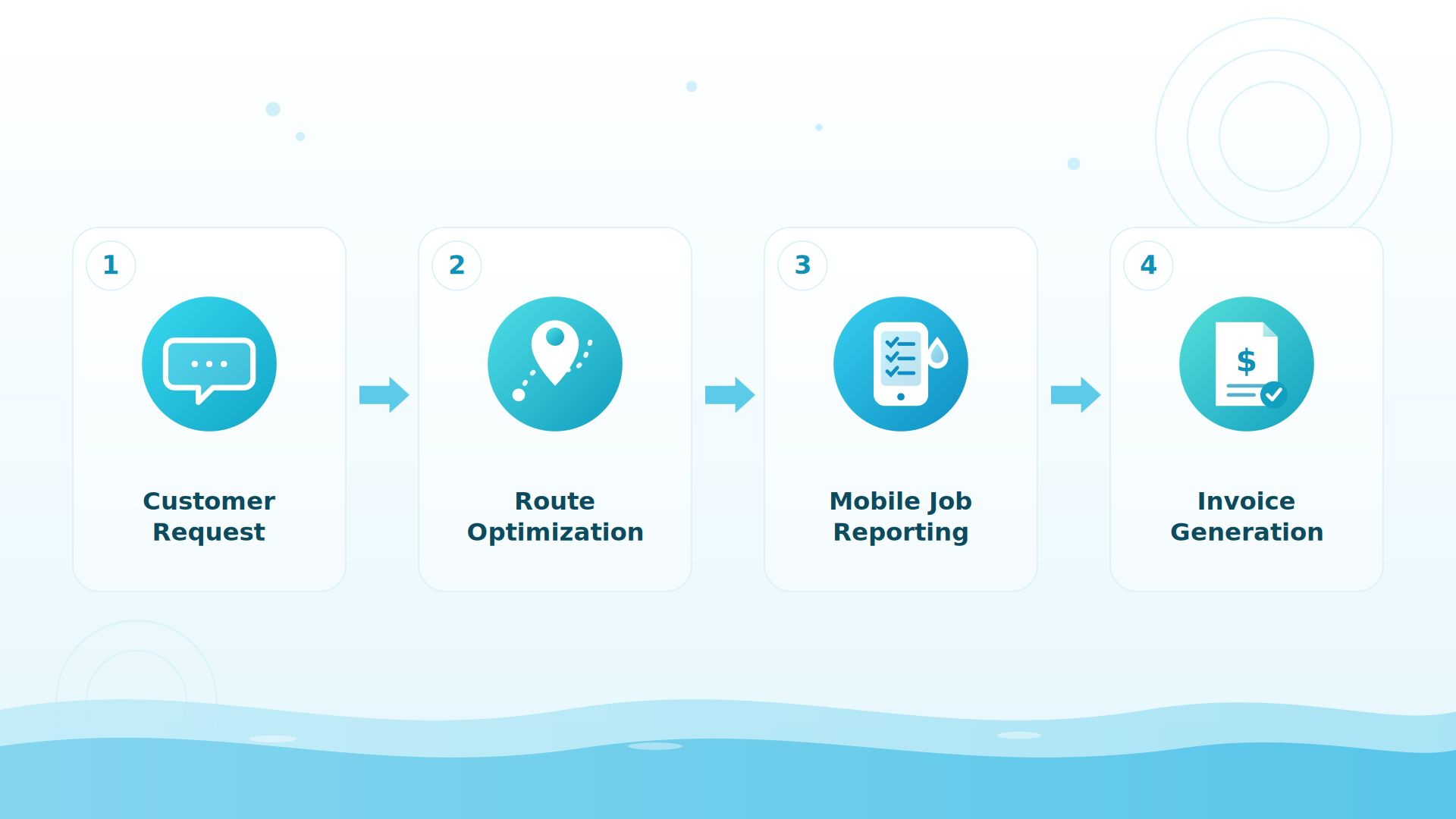
A scheduled sync job (or your CRM’s workflow automation calling out over HTTP) uses the POM GraphQL API:
- New customer from the CRM: when a deal hits “closed-won,” call
createCustomerwith the contact’s name, addresses, phones, and emails — after alookupquery to catch existing records. - Changes flowing back: a scheduled job reads recently updated customers from POM (cursor-paginated queries, filterable) and pushes changes to the CRM.
- Big lists: initial loads and mass updates go through the asynchronous Bulk Operations API — built for creating, updating, or exporting many customers at once.
The key is scoped to customers only — your CRM sync never touches invoices or the schedule unless you want it to.
Why it matters
One customer, one truth
Closed-won means scheduled
The handoff from sales to operations stops being an email — the customer is in POM, ready for a first appointment, the moment the deal closes.
No drifting lists
Address corrections, new phone numbers, billing contacts — fixed once, synced everywhere on the next run.
Marketing that knows service
With service data flowing back, your CRM can segment by real relationships — active weekly customers vs. one-time repairs vs. cancelled accounts.
Works with the CRMs pool companies actually use
HubSpot, Salesforce, Pipedrive, Zoho — anything with workflow automation or an integration platform between them (Zapier, Make, or a small scheduled script). The POM side is standard GraphQL over HTTPS with a scoped bearer key. If you’re on HubSpot specifically, its native workflows can call the POM API directly through a webhook action.
BIG PICTURE
Running a CRM next to POM today?
Tell us which one and what should sync — we’ll map the fields with you. 614-710-0074 · help@poolofficemanager.com

A concrete example
Deal closes in HubSpot → a workflow calls your middleware → createCustomer makes the POM record with the service address and gate notes from the deal → the office books the first visit. Nightly, a sync job reads customer changes from POM and updates HubSpot properties — so marketing emails stop going to customers who cancelled in July.
The honest details
There are no webhooks from POM today, so POM→CRM flows are polled on a schedule (nightly is typical; the cursor-paginated queries make that cheap). CRM→POM flows are push-based and instant. Rate limits apply per organization; the Bulk Operations API is the right lane for anything touching hundreds of records.
Keep exploring
Integrations & API hub · Web forms · Phone systems · Reports & visibility
We were excited to try this program and have been satisfied with the use. Love the scheduling feature, from an office stand point, and the guys are happy with not having to use paper.
Town & Country
I can easily keep track of my employees progress throughout the day and have the ability to send other techs to fill in if needed. Love the maps optimization feature. Saves time and money
Aqua Clear Pools
Great software program. Keeps our route in order while providing detailed service reports to all of our clients when the cleaning/maintenance is complete
Blue Water Pools
FAQ
CRM questions
Does POM integrate with HubSpot or Salesforce?
Through the API, yes — createCustomer / updateCustomer plus lookup and list queries give a two-way customer sync. There’s no one-click app today; a workflow action or small sync job connects them.
Do I even need a separate CRM?
Many POM companies don’t — POM carries the customer relationship, communication history, and quoting. A separate CRM earns its keep when you run serious outbound marketing or a multi-step sales pipeline.
How do I load my existing CRM list into POM?
Two free ways without code: email your export to files@poolofficemanager.com (company name in the file name) and we import it within about a business day, or connect QuickBooks Online and customers sync automatically. The Bulk Operations API is there when you want it automated.
What about duplicates?
Run the autocomplete lookup query before every create — that’s the pattern. POM also has a duplicate-review queue on the inventory side and clean import handling on ours.
One customer list, everywhere
30-day trial, full API access. We’ll help you map the fields: 614-710-0074.