
No sales call, no signup wall — four short videos that show the software doing the actual work: the tour, your first customer, the schedule, and a real service visit from a technician’s phone. Watch them in order or jump to what you care about.
See Pool Office Manager in five minutes
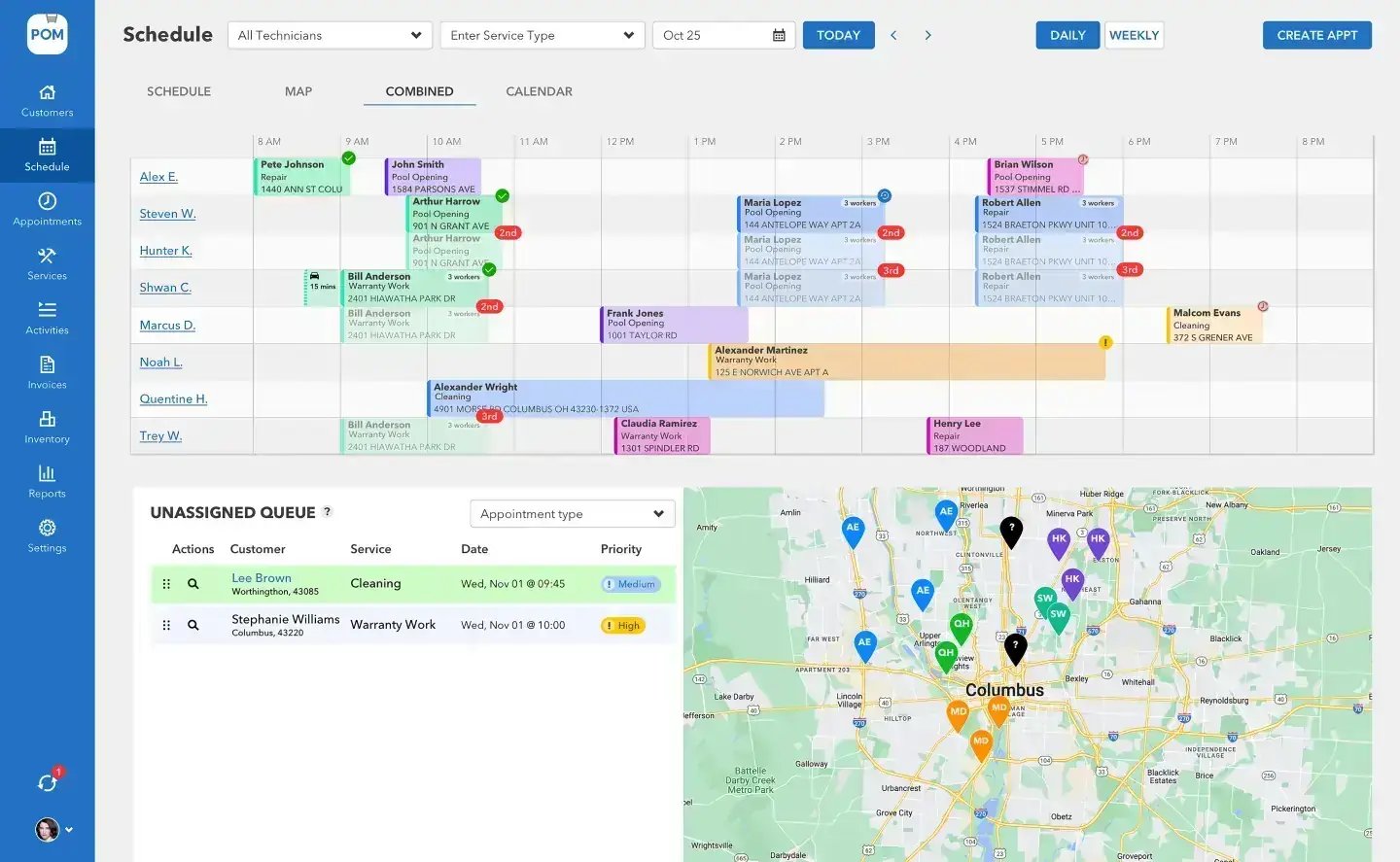
1 · The tour (1:46)
The whole platform in under two minutes: scheduling, customers, chemistry, billing, and the reports that tie it together.
2 · Add your first customer (1:12)
The first thing you’ll do in your trial: create a customer, set the address and body of water, and have them ready to schedule — by hand or synced in from QuickBooks.
Where to next
Go deeper on what matters to you
Scheduling & routes
Four views, drag-and-drop dispatch, and route optimization. See the scheduling page →
The tech mobile app
The whole field day in one app — checklist, photos, chemistry, submit. See the app page →
Billing & QuickBooks
The visit becomes the invoice, and the books stay clean. See the billing page →
3 · Build the schedule (0:51)
Recurring visits, the unassigned queue, and a week that plans itself forward.
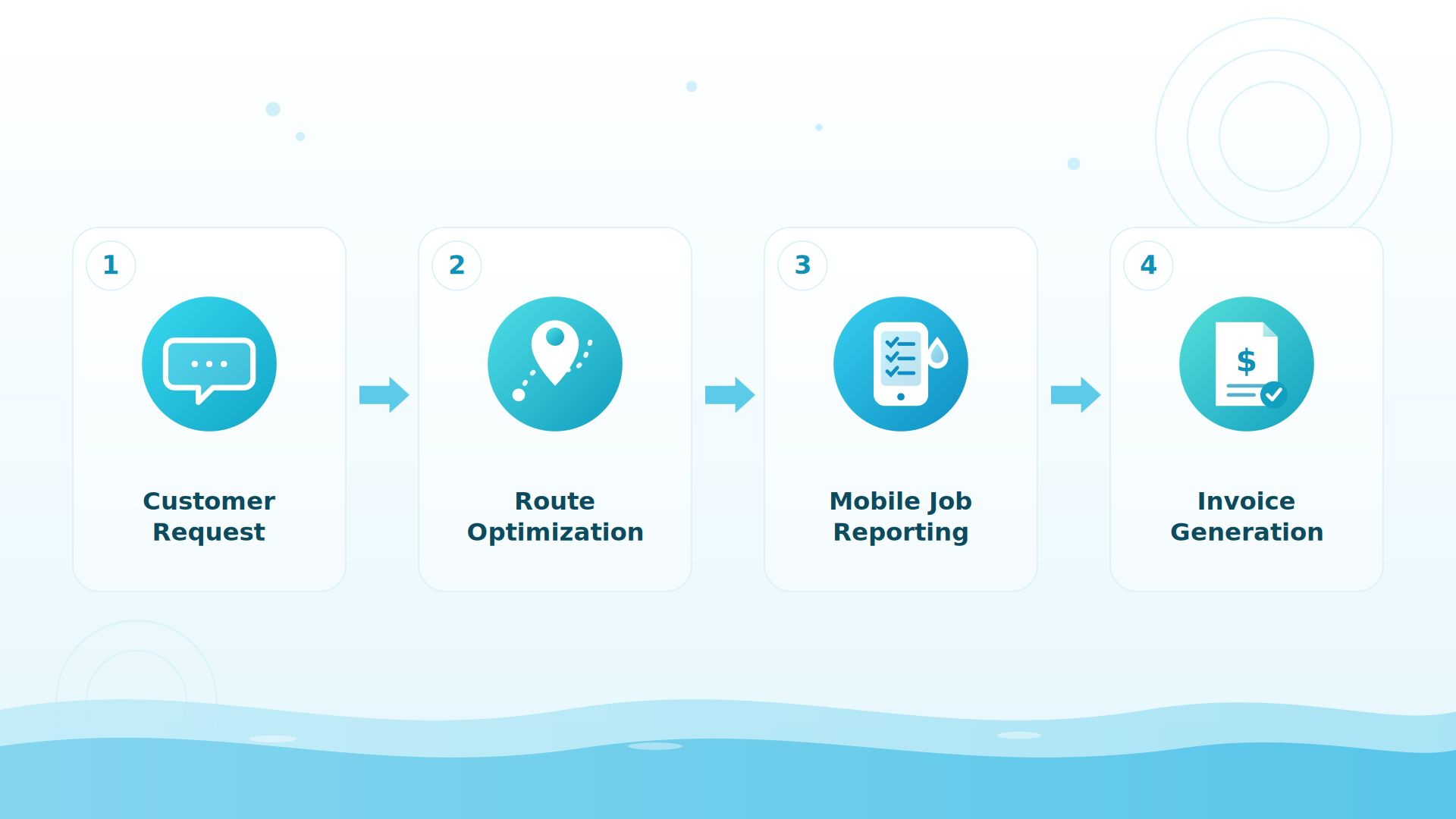
BIG PICTURE
Rather see it on your own pools?
Book a 20-minute setup call (614-710-0074) — we import your data and build your first week of schedules with you, live.

4 · A real visit in the tech app (1:08)
Clock in, run the route, work the checklist, record chemistry beside last visit’s numbers, and submit — the office sees it the moment it syncs.
What happens after the videos
Most people do one of two things next: start the 30-day free trial (every feature, card at signup, nothing charged until day 30, cancel anytime) or book a 20-minute setup call where we import your data and build your first week live. Either way, US-based support answers the phone: 614-710-0074.
Keep exploring
Scheduling & routes · The tech app · Water chemistry · Pricing · FAQ
Go deeper: 23 short videos
Short walkthroughs, about 30 to 60 seconds each. Every one has a step-by-step guide in the help center.
Scheduling & Routes
Invoicing & Pricing
Inventory
We were excited to try this program and have been satisfied with the use. Love the scheduling feature, from an office stand point, and the guys are happy with not having to use paper.
Town & Country
I can easily keep track of my employees progress throughout the day and have the ability to send other techs to fill in if needed. Love the maps optimization feature. Saves time and money
Aqua Clear Pools
Great software program. Keeps our route in order while providing detailed service reports to all of our clients when the cleaning/maintenance is complete
Blue Water Pools
FAQ
Quick answers before you start
How does the trial work?
30 days, every feature, instant access. Card at signup, nothing charged until day 30, cancel anytime — reply to any email or call 614-710-0074.
Do I have to sit through a sales demo?
No — the videos above are the demo. If you want a human walkthrough, the 20-minute setup call is working time: we import your data and build your first week of schedules with you.
How fast will my team learn it?
Techs typically learn the mobile app within their first day of service; most companies are fully proficient within 7 to 21 days.
What does it cost?
$125/month for your first user, $25/month per additional active user — every core feature included. Optional add-ons: QuickBooks Online (+$25/mo) and customer texting (from $10/mo).
Five minutes watched. Thirty days free.
Everything you just saw is in your trial account the moment you sign up. 614-710-0074 if you’d like company on the way in.